Showing posts with label Irland. Show all posts

Thursday, 15 October 2015

SIM Network Unlock Huawei Ascend P7 by Unlock Code


Factory Unlock Code for Huawei Ascend P7

The Huawei Ascend P7 is a uniquely crafted 4G device which has an unparalleled camera performance. The Ascend P7 packs a 5-inch, 1080p display into its frame, and has a HUAWEI Hisilicon Kirin 910T quad core and a 1.8GHz processor.


IMPORTANT: Prior placing the order, please make sure your phone is locked by power it on with a non-accepted SIM card - The phone MUST prompt for the unlock code.

Huawei Ascend P7
Unlocking Instructions: 
1.  Power on your Huawei phone with a non- accepted SIM Card,
2.  Once powered on, you will be asked for a Network Unlock Code,
3.  Enter the unlock code provided by us on the email we sent into your HUAWEI device.
4.  Your phone is now unlocked!!!! 


The video below is an example of a customer unlocking a Huawei Ascend P7 Phone. We unlock 99% of all GSM networks for any Huawei device. Unlocking your phone could not be simpler and is 100% Guaranteed. Watch the Video sample below:


Reasons to remotely unlock Huawei Ascend P7 with UnlockCode4U:
* Unlock your phone from the comfort of your own home.
* Never send your phone to anybody.
* If you travel you will save roaming fees by being able to use a local SIM cards.
* Warranty will not be voided.
* The resell value of your device will increase significantly as it is available to more networks.
* Easily switch between SIM card, using the same mobile phone.
* Very easy, no technical experience necessary.
* The phone is permanently unlocked, even after updates.
* 100% Guaranteed, if we cannot get you, your unlock solution we will refund you.


Read More »

Thursday, 6 August 2015

How to Unlock Huawei Ascend Y330 from 3 Network by Unlock Code


Factory Unlock Code for Huawei Ascend Y330 from 3 Network

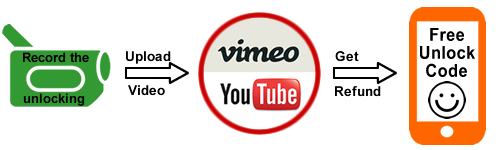
This Code is eligible for our Cash Back Promo. Click on the image below for more details:

 Make a video unlocking your phone and get 100% cash back :)

IMPORTANT: Prior placing the order, please make sure your phone is locked by power it on with a non-accepted SIM card - The phone MUST prompt for the unlock code.

Huawei Ascend Y330
Unlocking Instructions: 
1.  Power on your Huawei phone with a non- accepted SIM Card,
2.  Once powered on, you will be asked for a Network Unlock Code,
3.  Enter the unlock code provided by us on the email we sent into your HUAWEI device.
4.  Your phone is now unlocked!!!! 


The video below is an example of a customer unlocking a Huawei Phone. We unlock 99% of all GSM networks for any Huawei device. Unlocking your phone could not be simpler and is 100% Guaranteed. Watch the Video sample below:


Reasons to remotely unlock Huawei Ascend Y330 from 3 Network with UnlockCode4U:
* Unlock your phone from the comfort of your own home.
* Never send your phone to anybody.
* If you travel you will save roaming fees by being able to use a local SIM cards.
* Warranty will not be voided.
* The resell value of your device will increase significantly as it is available to more networks.
* Easily switch between SIM card, using the same mobile phone.
* Very easy, no technical experience necessary.
* The phone is permanently unlocked, even after updates.
* 100% Guaranteed, if we cannot get you, your unlock solution we will refund you.


Read More »