Showing posts with label Unlock rogers. Show all posts

Thursday, 24 August 2017

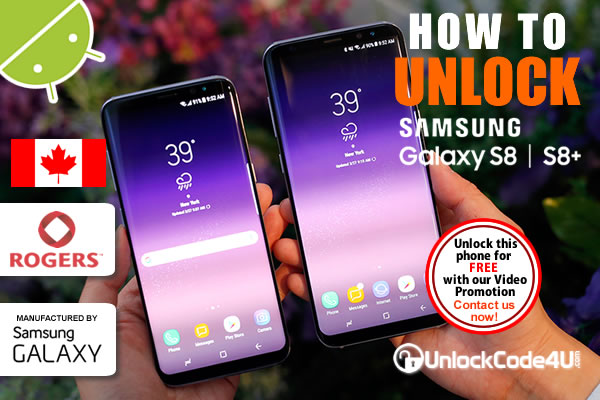
How to Network Unlock Samsung Galaxy S8 and S8+ from Rogers

Factory Unlock Code Samsung Galaxy S8 and S8+ from Rogers


With the Samsung Galaxy S8 and S8+, every moment is what you make of it. New features challenge the limits of today’s modern smartphone and combine to reveal the latest in premium wireless/samsung technology. The Galaxy S8 features our biggest smartphone screen to date on a seamlessly rounded Infinity Display, improving Multi-Window over our previous smartphones, while delivering an immersive, cinematic experience. The 8MP front-facing auto focus camera captures clear, vivid shots with continuous face-tracking technology.

UNLOCK Samsung Galaxy S8 and S8+ from Rogers

SIM Network Unlock PIN is what you see when power on your phone with a different SIM card? This is because your phone is locked to a service provider and you cannot use any other SIM card. To get rid of this message, follow the steps below.

Samsung Galaxy S8 and S8+ UNLOCKING INSTRUCTIONS

1.  Get your Samsung Galaxy S8 unlock code or Galaxy S8+.
2.  Once you have received the code, power on your phone with SIM Card from a network that does not work with your phone,
3.  The phone should ask for the SIM Network Unlock PIN,
4.  Enter the unlock code provided by us into your Samsung Galaxy phone.
5.  Now your phone should display this message: Network Unlock Successful.

Watch the Video below to see how easy and simple is to unlock your Samsung phone.


Important Note: Prior placing the order please make sure your phone is locked by power it on with a non-accepted SIM card.  The phone MUST prompt for the unlock code.

MOST COMMON QUESTIONS WHEN UNLOCKING A Samsung PHONE

1. What's the average delivery Time?
The average delivery time for any Samsung unlock code is 48 hrs.

2. Will my unlocked Samsung phone work on most GSM networks?
Yes, once your phone is unlocked you will be able to use most of GSM Networks. However, we always recommend you to check if your device supports the new carrier network bands. Keep in mind that your device technology must be compatible with network technology to enable access and functionality.

3. Will the unlocking be reversed if there is a software update?
No, even after software updates your phone will remain unlocked.

More Information at Unlock Samsung Galaxy S8 and Samsung Galaxy S8+
Read More »

Wednesday, 27 July 2016

Network Unlock Motorola Moto E (2nd Generation) from Rogers

Factory Unlock Code Motorola Moto E 2 generation from Rogers


The Moto E (2nd generation) comes with a 4.5 inches brilliant display that's the sharpest in its class. Built-in protection from scrapes, spills, and smudges. With a 2390 mAh battery, the all-new Moto E is designed to last a full day. Dash to school or work in the morning. Meet up with family or friends. Then head out for the evening. All without worrying about stopping to recharge.
Qualcomm Snapdragon 410 processor with a 1.2GHz Quad-core CPU and advanced graphics. Which means you can switch back and forth between your favourite apps without slowing down.
4G LTE / 4G Enabled.

UNLOCK Motorola Moto E 2 generation FROM Rogers

SIM Network Unlock PIN is what you see when power on your phone with a different SIM card? This is because your phone is locked to a service provider and you cannot use any other SIM card. To get rid of this message, follow the steps below.


Motorola Moto E 2 generation UNLOCKING INSTRUCTIONS

1.  Get your Motorola Moto E 2 generation unlock code
2.  Once you have the unlock code, power on your phone with SIM Card from a network that does not work with your phone,
3.  The phone should ask for the SIM Network Unlock PIN,
4.  Enter the unlock code provided by us into your Motorola Moto E 2 generation.
5.  Now your phone should display this message: Network Unlock Successful.

Important Note: Prior placing the order please make sure your phone is locked by power it on with a non-accepted SIM card.  The phone MUST prompt for the unlock code.


MOST COMMON QUESTIONS WHEN UNLOCKING A Motorola PHONE

1. What's the average delivery Time?
The average delivery time for any Motorola unlock code is 24 hrs.

2. Will my unlocked Motorola phone work on most GSM networks?
Yes, once your phone is unlocked you will be able to use most of GSM Networks. However, we always recommend you to check if your device supports the new carrier network bands. Keep in mind that your device technology must be compatible with network technology to enable access and functionality.

3. Will the unlocking be reversed if there is a software update?
No, even after software updates your phone will remain unlocked.

More Information at Unlock Motorola Moto E (2nd Generation) from Rogers

Read More »

Friday, 22 April 2016

Instant Network Unlocking for LG G3 from Rogers

Factory Unlock Code LG G3 from Rogers


Discover a world where colours are bright, memories stay sharp, and clarity replaces clutter — and behold the LG G3. The stunning Quad HD smartphone provides four times the pixels of HD for the clearest picture yet. A 13MP camera with Laser Auto Focus will capture your best moments faster and with less blur and a Front-facing camera with Soft Light will shoot the perfect selfie, every time.

UNLOCK LG G3 FROM ROGERS

SIM Network Unlock PIN is what you see when power on your phone with a different SIM card? This is because your phone is locked to a service provider and you cannot use any other SIM card. To get rid of this message, follow the steps below.

LG G3 UNLOCKING INSTRUCTIONS

1.  Get your LG G3 unlock code
2.  Once you have the unlock code, power on your phone with SIM Card from a network that does not work with your phone,
3.  The phone should ask for the SIM Network Unlock PIN,
4.  Enter the unlock code provided by us into your LG G3.
5.  Now your phone should display this message: Network Unlock Successful.

Important Note: Prior placing the order please make sure your phone is locked by power it on with a non-accepted SIM card.  The phone MUST prompt for the unlock code.

MOST COMMON QUESTIONS WHEN UNLOCKING A LG PHONE

1. What's the average delivery Time?
The average delivery time for any LG unlock code is 24 hrs.

2. Will my unlocked LG phone work on most GSM networks?
Yes, once your phone is unlocked you will be able to use most of GSM Networks. However, we always recommend you to check if your device supports the new carrier network bands. Keep in mind that your device technology must be compatible with network technology to enable access and functionality.

3. Will the unlocking be reversed if there is a software update?
No, even after software updates your phone will remain unlocked.

More Information at Unlock LG G3 from Rogers

Read More »

Tuesday, 19 April 2016

How to Unlock Samsung Galaxy Note 4 from Rogers

Factory Unlock Code Samsung Galaxy Note 4 from Rogers

The new Samsung Galaxy Note 4 delivers in ways that improve how we live, work and play every day. Do more with our most precise and useful S Pen™ on Samsung’s first-ever Quad HD Super AMOLED® display. Recharge up to 50% of the battery in about 30 minutes

UNLOCK Samsung Galaxy Note 4 from Rogers

SIM Network Unlock PIN is what you see when power on your phone with a different SIM card? This is because your phone is locked to a service provider and you cannot use any other SIM card. To get rid of this message, follow the steps below.

Samsung Galaxy Note 4 UNLOCKING INSTRUCTIONS

1.  Get your Samsung Galaxy Note 4 unlock code
2.  Once you have the unlock code, power on your phone with SIM Card from a network that does not work with your phone,
3.  The phone should ask for the SIM Network Unlock PIN,
4.  Enter the unlock code provided by us into your Samsung Galaxy Note 4.
5.  Now your phone should display this message: Network Unlock Successful.

Watch the Video below to see how easy and simple is to unlock your Samsung phone.


Important Note: Prior placing the order please make sure your phone is locked by power it on with a non-accepted SIM card.  The phone MUST prompt for the unlock code.

MOST COMMON QUESTIONS WHEN UNLOCKING A Samsung PHONE

1. What's the average delivery Time?
The average delivery time for any Samsung unlock code is 24 hrs.

2. Will my unlocked Samsung phone work on most GSM networks?
Yes, once your phone is unlocked you will be able to use most of GSM Networks. However, we always recommend you to check if your device supports the new carrier network bands. Keep in mind that your device technology must be compatible with network technology to enable access and functionality.

3. Will the unlocking be reversed if there is a software update?
No, even after software updates your phone will remain unlocked.

More Information at Unlock Samsung Galaxy Note 4 from Rogers

Read More »