Showing posts with label unlock Galaxy S7. Show all posts

Wednesday, 20 December 2017

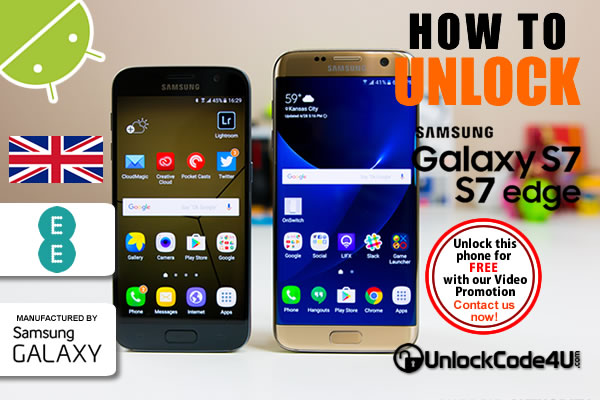
How to Network Unlock Samsung Galaxy S7 and S7 Edge from EE Network

Factory Unlock Code Samsung Galaxy S7 and S7 Edge from EE Network

The S7 is more powerful, not to mention even more beautiful than the S6, but Samsung hasn't attained perfection just yet. That said, the company has come pretty damned close: A more consistent camera and more modest power consumption would have made this great phone one for the history books.

On the other hand the Galaxy S7 Edge is what Samsung's Edge family should have been from the beginning. It combines first-rate horsepower (and the occasional hiccup) with a gorgeous display, all wrapped in an attractive package. The thing is, the Edge's big draw is still its striking design: The software that tries to take advantage of the curved screen still feels gimmicky.

UNLOCK Samsung Galaxy S7 and S7 EDGE from EE network

SIM Network Unlock PIN is what you see when power on your phone with a different SIM card? This is because your phone is locked to a service provider and you cannot use any other SIM card. To get rid of this message, follow the steps below.


Samsung Galaxy S7 and S7 EDGE UNLOCKING INSTRUCTIONS

1.  Get your Samsung Galaxy S7 unlock code or Galaxy S7 Edge.
2.  Once you have received the code, power on your phone with SIM Card from a network that does not work with your phone,
3.  The phone should ask for the SIM Network Unlock PIN,
4.  Enter the unlock code provided by us into your Samsung Galaxy phone.
5.  Now your phone should display this message: Network Unlock Successful.

Watch the Video below to see how easy and simple is to unlock your Samsung phone.


Important Note: Prior placing the order please make sure your phone is locked by power it on with a non-accepted SIM card.  The phone MUST prompt for the unlock code.

MOST COMMON QUESTIONS WHEN UNLOCKING A Samsung PHONE

1. What's the average delivery Time?
The average delivery time for any Samsung unlock code is 24 hrs.

2. Will my unlocked Samsung phone work on most GSM networks?
Yes, once your phone is unlocked you will be able to use most of GSM Networks. However, we always recommend you to check if your device supports the new carrier network bands. Keep in mind that your device technology must be compatible with network technology to enable access and functionality.

3. Will the unlocking be reversed if there is a software update?
No, even after software updates your phone will remain unlocked.

More Information at Unlock Samsung Galaxy S7 and Samsung Galaxy S7 Edge


Find out more about these amazing devices in the video review below by The Verge
Read More »

Tuesday, 25 April 2017

How to Network Unlock Samsung Galaxy S7 from A1 Telekom

Factory Unlock Code Samsung Galaxy S7 from A1 Telekom

The Galaxy S7 is perfectly crafted from metal and glass with a 3D curved glass back blending purposeful design with powerful features.

UNLOCK Samsung Galaxy S7 from A1 Telekom

SIM Network Unlock PIN is what you see when power on your phone with a different SIM card? This is because your phone is locked to a service provider and you cannot use any other SIM card. To get rid of this message, follow the steps below.

Samsung Galaxy S7 UNLOCKING INSTRUCTIONS

1.  Get your Samsung Galaxy S7 unlock code
2.  Once you have the unlock code, power on your phone with SIM Card from a network that does not work with your phone,
3.  The phone should ask for the SIM Network Unlock PIN,
4.  Enter the unlock code provided by us into your Samsung Galaxy S7.
5.  Now your phone should display this message: Network Unlock Successful.

Watch the Video below to see how easy and simple is to unlock your Samsung phone.


Important Note: Prior placing the order please make sure your phone is locked by power it on with a non-accepted SIM card.  The phone MUST prompt for the unlock code.

MOST COMMON QUESTIONS WHEN UNLOCKING A Samsung PHONE

1. What's the average delivery Time?
The average delivery time for any Samsung unlock code is 12 hrs.

2. Will my unlocked Samsung phone work on most GSM networks?
Yes, once your phone is unlocked you will be able to use most of GSM Networks. However, we always recommend you to check if your device supports the new carrier network bands. Keep in mind that your device technology must be compatible with network technology to enable access and functionality.

3. Will the unlocking be reversed if there is a software update?
No, even after software updates your phone will remain unlocked.

More Information at Unlock Samsung Galaxy S7 from A1 Telekom
Read More »

Friday, 24 March 2017

How to Network Unlock Samsung Galaxy S7 from Meteor

Factory Unlock Code Samsung Galaxy S7 from Meteor

The Galaxy S7 is perfectly crafted from metal and glass with a 3D curved glass back blending purposeful design with powerful features.

UNLOCK Samsung Galaxy S7 from Meteor

SIM Network Unlock PIN is what you see when power on your phone with a different SIM card? This is because your phone is locked to a service provider and you cannot use any other SIM card. To get rid of this message, follow the steps below.

Samsung Galaxy S7 UNLOCKING INSTRUCTIONS

1.  Get your Samsung Galaxy S7 unlock code
2.  Once you have the unlock code, power on your phone with SIM Card from a network that does not work with your phone,
3.  The phone should ask for the SIM Network Unlock PIN,
4.  Enter the unlock code provided by us into your Samsung Galaxy S7.
5.  Now your phone should display this message: Network Unlock Successful.

Watch the Video below to see how easy and simple is to unlock your Samsung phone.


Important Note: Prior placing the order please make sure your phone is locked by power it on with a non-accepted SIM card.  The phone MUST prompt for the unlock code.

MOST COMMON QUESTIONS WHEN UNLOCKING A Samsung PHONE

1. What's the average delivery Time?
The average delivery time for any Samsung unlock code is 24 hrs.

2. Will my unlocked Samsung phone work on most GSM networks?
Yes, once your phone is unlocked you will be able to use most of GSM Networks. However, we always recommend you to check if your device supports the new carrier network bands. Keep in mind that your device technology must be compatible with network technology to enable access and functionality.

3. Will the unlocking be reversed if there is a software update?
No, even after software updates your phone will remain unlocked.

More Information at Unlock Samsung Galaxy S7 from Meteor
Read More »

Tuesday, 10 May 2016

How to Unlock Samsung Galaxy S7 Locked to any GSM Network

Factory Unlock Code Samsung Galaxy S7 by unlock code

The Galaxy S7 redefine what a phone can do. Samsung is completely changing how you'll share experiences and memories by shattering the boundaries of what a phone can do. And it's the biggest thing to happen to phones. Samsung Galaxy S7 comes with 4G+, Quad HD/ 5.5 inches, up to 2 day’s battery life, Expandable memory and last but not least Waterproof and dust resistant.

UNLOCK SAMSUNG GALAXY S7

SIM Network Unlock PIN is what you see when power on your phone with a different SIM card? This is because your phone is locked to a service provider and you cannot use any other SIM card. To get rid of this message, follow the steps below.

SAMSUNG GALAXY S7 UNLOCKING INSTRUCTIONS

1.  Get your Samsung Galaxy S7 unlock code
2.  Once you have the unlock code, power on your phone with SIM Card from a network that does not work with your phone,
3.  The phone should ask for the SIM Network Unlock PIN,
4.  Enter the unlock code provided by us into your Samsung Galaxy S7.
5.  Now your phone should display this message: Network Unlock Successful.

Watch the Video below to see how easy and simple is to unlock your Samsung phone.


Important Note: Prior placing the order please make sure your phone is locked by power it on with a non-accepted SIM card.  The phone MUST prompt for the unlock code.

MOST COMMON QUESTIONS WHEN UNLOCKING A Samsung PHONE

1. What's the average delivery Time?
The average delivery time for any Samsung unlock code is 3 hrs.

2. Will my unlocked Samsung phone work on most GSM networks?
Yes, once your phone is unlocked you will be able to use most of GSM Networks. However, we always recommend you to check if your device supports the new carrier network bands. Keep in mind that your device technology must be compatible with network technology to enable access and functionality.

3. Will the unlocking be reversed if there is a software update?
No, even after software updates your phone will remain unlocked.

More Information at Unlock Samsung Galaxy S7

Read More »

Saturday, 19 March 2016

How to Unlock Samsung Galaxy S7 from Vodafone

Factory Unlock Code Samsung Galaxy S7 from Vodafone

The Galaxy S7 redefine what a phone can do. Samsung is completely changing how you'll share experiences and memories by shattering the boundaries of what a phone can do. And it's the biggest thing to happen to phones. Samsung Galaxy S7 comes with 4G+, Quad HD/ 5.5 inches, up to 2 day’s battery life, Expandable memory and last but not least Waterproof and dust resistant.

UNLOCK Samsung Galaxy S7 from Vodafone

SIM Network Unlock PIN is what you see when power on your phone with a different SIM card? This is because your phone is locked to a service provider and you cannot use any other SIM card. To get rid of this message, follow the steps below.

Samsung Galaxy S7 UNLOCKING INSTRUCTIONS

1.  Get your Samsung Galaxy S7 unlock code
2.  Once you have the unlock code, power on your phone with SIM Card from a network that does not work with your phone,
3.  The phone should ask for the SIM Network Unlock PIN,
4.  Enter the unlock code provided by us into your Samsung Galaxy S7.
5.  Now your phone should display this message: Network Unlock Successful.

Watch the Video below to see how easy and simple is to unlock your Samsung phone.


Important Note: Prior placing the order please make sure your phone is locked by power it on with a non-accepted SIM card.  The phone MUST prompt for the unlock code.

MOST COMMON QUESTIONS WHEN UNLOCKING A Samsung PHONE

1. What's the average delivery Time?
The average delivery time for any Samsung unlock code is 3 hrs.

2. Will my unlocked Samsung phone work on most GSM networks?
Yes, once your phone is unlocked you will be able to use most of GSM Networks. However, we always recommend you to check if your device supports the new carrier network bands. Keep in mind that your device technology must be compatible with network technology to enable access and functionality.

3. Will the unlocking be reversed if there is a software update?
No, even after software updates your phone will remain unlocked.

More Information at Unlock Samsung Galaxy S7 from Vodafone

Read More »
