Showing posts with label unlock t-mobile. Show all posts

Wednesday, 12 April 2017

How to Unlock LG Aristo locked to T-mobile / MetroPCS

Network unlock LG Aristo locked to T-mobile

Create, connect, and never compromise, that’s the LG Aristo™. This smartphone packs premium features and leaves that large price tag behind. It’s as slim as it is mighty and as bold as it is brilliant. With a striking visual experience and cameras that don’t miss their mark, there’s nothing you can’t do.


How to unlock your LG Aristo?

T-Mobile/MetroPCS have introduced a new method of Unlocking their devices to be used on other networks. It is the Mobile Device Unlock App. They no longer use the conventional method of inputting an Unlock Code, but instead activate the device as “eligible” status in their back end system.

How does the Mobile Device Unlock App work?

1. You send a request with your IMEI to unlock LG Aristo from T-Mobile or MetroPCS through our website.
2. Then we will send you an email with instrucion stating that your device can be “Unlocked”
3. As soon as you receive this email, open the app and select “Permanent Unlock” (as shown in the image below).
4. As your device's IMEI is registered as Eligible to be Unlocked in T-mobile's database, the screen will say "Device is Permanently Unlocked".
5. Your device will reboot and you can use it on any other GSM Carriers.


Important Note: Prior placing the order please check first if your phone is eligible for unlocking:
1. Find and launch the “Device Unlock App” to check status.
2(a). If you receive “Not Eligible for Unlock”, please proceed and submit your IMEI # for processing.
2(b). If you receive “Communication Error” or “Server not responding, please try again later”, DO NOT submit your order as it is not supported for unlocking (no refunds will be provided for any orders submitted with either of these error messages)


most common reasons to unlock your T-Mobile PHONE
  • You never send your phone to anybody.
  • If you are travelling you will save roaming fees by being able to use a local simcards.
  • Warranty will not be voided.
  • The resell value of your mobile device will increase significantly as it is available to more networks.
  • Easily switch between simcard, using the same mobile phone.
  • Unlock your phone from the comfort of your own home.
  • Very easy, no technical experience necessary.
  • No complicated software, or cable, just simply enter the unlock code we send you.
  • The phone is permanently unlocked, even after updates.
  • 100% Guaranteed, if we cannot get you an unlock code for your device we will refund you, no questions asked.
  • If you are traveling, buy a local simcard and save on roaming charges.
  • We use exactly the same method that your network supplier uses, but with us you don't have to wait 6 to 12 month because in most of the cases is INSTANT!!
For more information and request your unlocking service go to Unlock LG Aristo from T-mobile or MetroPCS
Read More »

Wednesday, 5 April 2017

How to Unlock Samsung Galaxy On5 locked to T-mobile or MetroPCS

Network unlock Samsung Galaxy On5 locked to T-mobile


The Samsung Galaxy On5 offers an amazing 5” HD display, a simplified user interface, a great camera to capture and share clear photos, and all the smartphone features you need at an affordable price.

• Large 5” TFT display for an easy viewing experience with sharper text and more detail
• 2MP front-facing and 5MP rear-facing camera with autofocus and LED flash
• Multi-task & enjoy fast 4G LTE speeds on MetroPCS or T-Mobile’s nationwide network

How to unlock your Galaxy On5?

T-Mobile/MetroPCS has introduced a new method of Unlocking their devices to be used on other networks. It is the Mobile Device Unlock App. They no longer use the conventional method of inputting an Unlock Code, but instead activate the device as “eligible” status in their back end system.

How does the Mobile Device Unlock App work?

1. You send a request with your IMEI to unlock Samsung Galaxy On5 from T-Mobile - MetroPCS through our website.
2. Then we will send you an email with instrucion stating that your device can be “Unlocked”
3. As soon as you receive this email, open the app and select “Permanent Unlock” (as shown in the image below).
4. As your device's IMEI is registered as Eligible to be Unlocked in T-mobile's database, the screen will say "Device is Permanently Unlocked".
5. Your device will reboot and you can use it on any other GSM Carriers.


Important Note: Prior placing the order please check first if your phone is eligible for unlocking:
1. Find and launch the “Device Unlock App” to check status.
2(a). If you receive “Not Eligible for Unlock”, please proceed and submit your IMEI # for processing.
2(b). If you receive “Communication Error” or “Server not responding, please try again later”, DO NOT submit your order as it is not supported for unlocking (no refunds will be provided for any orders submitted with either of these error messages)

most common reasons to unlock your T-Mobile PHONE
  • You never send your phone to anybody.
  • If you are travelling you will save roaming fees by being able to use a local simcards.
  • Warranty will not be voided.
  • The resell value of your mobile device will increase significantly as it is available to more networks.
  • Easily switch between simcard, using the same mobile phone.
  • Unlock your phone from the comfort of your own home.
  • Very easy, no technical experience necessary.
  • No complicated software, or cable, just simply enter the unlock code we send you.
  • The phone is permanently unlocked, even after updates.
  • 100% Guaranteed, if we cannot get you an unlock code for your device we will refund you, no questions asked.
  • If you are traveling, buy a local simcard and save on roaming charges.
  • We use exactly the same method that your network supplier uses, but with us you don't have to wait 6 to 12 month because in most of the cases is INSTANT!!
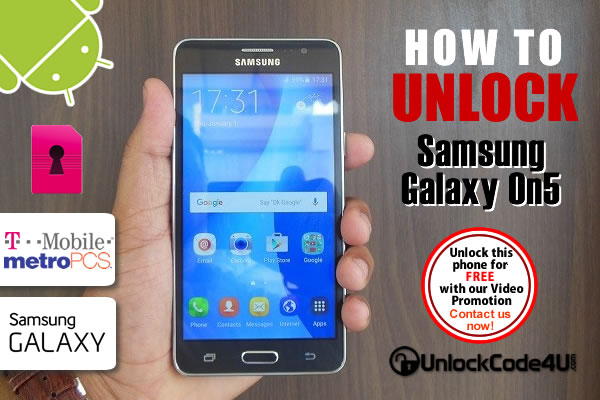
For more information and request your unlocking service go to Unlock Samsung Galaxy On5 from T-mobile or MetroPCS
Read More »

Wednesday, 29 March 2017

How to Unlock LG G Stylo from T-mobile

Network unlock LG G Stylo locked to T-mobile

Take entertainment and productivity to the next level while adding a touch of personality to every screen. The LG G Stylo has a built-in stylus pen that makes this device a blank canvas for your unique self-expression. Now is the perfect time to Make Your Mark!
• Stylish Design fits comfortably in-hand with a Stylus Pen for creativity that’s on point.
• Large 5.7"" HD IPS Display keeps you immersed with vibrant, genuine color and quick touch response.
• Capture moments when using the 13 MP Camera with Laser Detection Auto Focus.

How to unlock your Galaxy S7?

T-Mobile has introduced a new method of Unlocking their devices to be used on other networks. It is the T-Mobile Mobile Device Unlock App. They no longer use the conventional method of inputting an Unlock Code, but instead activate the device as “eligible” status in their back end system.

How does the Mobile Device Unlock App work?

1. You send a request with your IMEI to unlock LG G Stylo from T-Mobile through our website.
2. Then we will send you an email with instrucion stating that your device can be “Unlocked”
3. As soon as you receive this email, open the app and select “Permanent Unlock” (as shown in the image below).
4. As your device's IMEI is registered as Eligible to be Unlocked in T-mobile's database, the screen will say "Device is Permanently Unlocked".
5. Your device will reboot and you can use it on any other GSM Carriers.


Important Note: Prior placing the order please check first if your phone is eligible for unlocking:
1. Find and launch the “Device Unlock App” to check status.
2(a). If you receive “Not Eligible for Unlock”, please proceed and submit your IMEI # for processing.
2(b). If you receive “Communication Error” or “Server not responding, please try again later”, DO NOT submit your order as it is not supported for unlocking (no refunds will be provided for any orders submitted with either of these error messages)


most common reasons to unlock your T-Mobile PHONE

  • You never send your phone to anybody.
  • If you are travelling you will save roaming fees by being able to use a local simcards.
  • Warranty will not be voided.
  • The resell value of your mobile device will increase significantly as it is available to more networks.
  • Easily switch between simcard, using the same mobile phone.
  • Unlock your phone from the comfort of your own home.
  • Very easy, no technical experience necessary.
  • No complicated software, or cable, just simply enter the unlock code we send you.
  • The phone is permanently unlocked, even after updates.
  • 100% Guaranteed, if we cannot get you an unlock code for your device we will refund you, no questions asked.
  • If you are traveling, buy a local simcard and save on roaming charges.
  • We use exactly the same method that your network supplier uses, but with us you don't have to wait 6 to 12 month because in most of the cases is INSTANT!!
For more information and request your unlocking service go to Unlock LG G Stylo from T-mobile
Read More »

Wednesday, 22 March 2017

How to Unlock Samsung Galaxy S7 edge locked to T-mobile - MetroPCS

Network unlock Samsung Galaxy S7 edge locked to T-mobile

The Galaxy S7 edge comes with:
• Gorgeous, bright display on a 5.5” Quad HD Super AMOLED screen with dynamic, contoured dual edge display
• Water and dust resistance that repels spills, splashes, and even dunks
• Sharper low-light images with the world’s first dual-pixel smartphone camera
• Up to 256GB of expandable microSD memory (card sold separately)

How to unlock your Galaxy S7 edge?

T-Mobile and MetroPCS have introduced a new method of Unlocking their devices to be used on other networks. It is the T-Mobile Mobile Device Unlock App. They no longer use the conventional method of inputting an Unlock Code, but instead activate the device as “eligible” status in their back end system.

How does the Mobile Device Unlock App work?

1. You send a request with your IMEI to unlock Samsung Galaxy S7 edge from T-Mobile - MetroPCS through our website.
2. Then we will send you an email with instrucion stating that your device can be “Unlocked”
3. As soon as you receive this email, open the app and select “Permanent Unlock” (as shown in the image below).
4. As your device's IMEI is registered as Eligible to be Unlocked in T-mobile's database, the screen will say "Device is Permanently Unlocked".
5. Your device will reboot and you can use it on any other GSM Carriers.


Important Note: Prior placing the order please check first if your phone is eligible for unlocking:
1. Find and launch the “Device Unlock App” to check status.
2(a). If you receive “Not Eligible for Unlock”, please proceed and submit your IMEI # for processing.
2(b). If you receive “Communication Error” or “Server not responding, please try again later”, DO NOT submit your order as it is not supported for unlocking (no refunds will be provided for any orders submitted with either of these error messages)

most common reasons to unlock your T-Mobile or metropcs PHONE

  • You never send your phone to anybody.
  • If you are travelling you will save roaming fees by being able to use a local simcards.
  • Warranty will not be voided.
  • The resell value of your mobile device will increase significantly as it is available to more networks.
  • Easily switch between simcard, using the same mobile phone.
  • Unlock your phone from the comfort of your own home.
  • Very easy, no technical experience necessary.
  • No complicated software, or cable, just simply enter the unlock code we send you.
  • The phone is permanently unlocked, even after updates.
  • 100% Guaranteed, if we cannot get you an unlock code for your device we will refund you, no questions asked.
  • If you are traveling, buy a local simcard and save on roaming charges.
  • We use exactly the same method that your network supplier uses, but with us you don't have to wait 6 to 12 month because in most of the cases is INSTANT!!
For more information and request your unlocking service go to Unlock Samsung Galaxy S7 edge from T-mobile or MetroPCS
Read More »

Wednesday, 15 March 2017

How to Unlock Samsung Galaxy S7 locked to T-mobile - Metro PCS

Network unlock Samsung Galaxy S7 locked to T-mobile MetroPCS

The Galaxy S7 is big on screen and slim on profile. It also has Crisp, bright display on 5.1” Quad HD Super AMOLED screen. Comes with water and dust resistance that repels spills, splashes, and even dunks, sharper low-light images with the world’s first dual-pixel smartphone camera and Up to 256GB of expandable microSD memory.


How to unlock your Galaxy S7?

T-Mobile - MetroPCS have introduced a new method of unlocking their devices to be used on other networks. It is the  Mobile Device Unlock App. They no longer use the conventional method of inputting an Unlock Code, but instead activate the device as “eligible” status in their back end system.

How does the Mobile Device Unlock App work?

1. You send a request with your IMEI to unlock Samsung Galaxy S7 from T-Mobile - Metro PCS through our website.
2. Then we will send you an email with instrucion stating that your device can be “Unlocked”
3. As soon as you receive this email, open the app and select “Permanent Unlock” (as shown in the image below).
4. As your device's IMEI is registered as Eligible to be Unlocked in MetroPCS or T-mobile's database, the screen will say "Device is Permanently Unlocked".
5. Your device will reboot and you can use it on any other GSM Carriers.


Important Note: Prior placing the order please check first if your phone is eligible for unlocking:
1. Find and launch the “Device Unlock App” to check status.
2(a). If you receive “Not Eligible for Unlock”, please proceed and submit your IMEI # for processing.
2(b). If you receive “Communication Error” or “Server not responding, please try again later”, DO NOT submit your order as it is not supported for unlocking (no refunds will be provided for any orders submitted with either of these error messages)


most common reasons to unlock your T-Mobile or metropcs PHONE

  • You never send your phone to anybody.
  • If you are travelling you will save roaming fees by being able to use a local simcards.
  • Warranty will not be voided.
  • The resell value of your mobile device will increase significantly as it is available to more networks.
  • Easily switch between simcard, using the same mobile phone.
  • Unlock your phone from the comfort of your own home.
  • Very easy, no technical experience necessary.
  • No complicated software, or cable, just simply enter the unlock code we send you.
  • The phone is permanently unlocked, even after updates.
  • 100% Guaranteed, if we cannot get you an unlock code for your device we will refund you, no questions asked.
  • If you are traveling, buy a local simcard and save on roaming charges.
  • We use exactly the same method that your network supplier uses, but with us you don't have to wait 6 to 12 month because in most of the cases is INSTANT!!
For more information and request your unlocking service go to Unlock Samsung Galaxy S7 from T-mobile or MetroPCS
Read More »

Monday, 20 February 2017

How to Unlock ZTE ZMAX® Pro locked to T-mobile

Network unlock ZTE ZMAX Pro locked to T-mobile

Transform the way you use your phone with the ZTE ZMAX® Pro. The ZMAX Pro balances perfect form with awesome performance. Powered by a 1.5 GHz octa-core processor and 32GB of internal memory, you have the power of mobility in your hand. The security of your personal information and content is important, that is why the ZMAX Pro comes with a state-of-the-art fingerprint sensor to keep your data secure & private.


How to unlock your ZTE ZMAX® Pro?

T-Mobile has introduced a new method of Unlocking their devices to be used on other networks. It is the T-Mobile Mobile Device Unlock App. They no longer use the conventional method of inputting an Unlock Code, but instead activate the device as “eligible” status in their back end system.

How does the Mobile Device Unlock App work?

1. You send a request with your IMEI to unlock ZTE ZMAX® Pro from T-Mobile through our website.
2. Then we will send you an email with instrucion stating that your device can be “Unlocked”
3. As soon as you receive this email, open the app and select “Permanent Unlock” (as shown in the image below).
4. As your device's IMEI is registered as Eligible to be Unlocked in T-mobile's database, the screen will say "Device is Permanently Unlocked".
5. Your device will reboot and you can use it on any other GSM Carriers.


Important Note: Prior placing the order please check first if your phone is eligible for unlocking:
1. Find and launch the “Device Unlock App” to check status.
2(a). If you receive “Not Eligible for Unlock”, please proceed and submit your IMEI # for processing.
2(b). If you receive “Communication Error” or “Server not responding, please try again later”, DO NOT submit your order as it is not supported for unlocking (no refunds will be provided for any orders submitted with either of these error messages)


most common reasons to unlock your ZTE PHONE

  • You never send your phone to anybody.
  • If you are travelling you will save roaming fees by being able to use a local simcards.
  • Warranty will not be voided.
  • The resell value of your mobile device will increase significantly as it is available to more networks.
  • Easily switch between simcard, using the same mobile phone.
  • Unlock your phone from the comfort of your own home.
  • Very easy, no technical experience necessary.
  • No complicated software, or cable, just simply enter the unlock code we send you.
  • The phone is permanently unlocked, even after updates.
  • 100% Guaranteed, if we cannot get you an unlock code for your device we will refund you, no questions asked.
  • If you are traveling, buy a local simcard and save on roaming charges.
  • We use exactly the same method that your network supplier uses, but with us you don't have to wait 6 to 12 month because in most of the cases is INSTANT!!
For more information and request your unlocking service go to Unlock ZTE ZMAX Pro from T-mobile

If you want to know more about this amazing device watch the video below by Booredatwork.com:
Read More »