Showing posts with label unlock zte. Show all posts

Thursday, 9 November 2017

Same day Unlocking for Your ZTE Axon M from At&T

Factory Unlock Code ZTE Axon M from AT&T

Because the ZTE Axon M is durable on the outside with a long-lasting battery on the inside, you won't have to compromise one pixel of entertainment.

UNLOCK ZTE Axon M from AT&T

SIM Network Unlock PIN is what you see when power on your phone with a different SIM card? This is because your phone is locked to a service provider and you cannot use any other SIM card. To get rid of this message, follow the steps below.


ZTE Axon M UNLOCKING INSTRUCTIONS

1.  Get your ZTE Axon M unlock code.
2.  Once you have received the code, power on your phone with SIM Card from a network that does not work with your phone,
3.  The phone should ask for the SIM Network Unlock PIN,
4.  Enter the unlock code provided by us into your ZTE phone.
5.  Now your phone should display this message: Network Unlock Successful.

Important Note: Prior placing the order please make sure your phone is locked by power it on with a non-accepted SIM card.  The phone MUST prompt for the unlock code.

MOST COMMON QUESTIONS WHEN UNLOCKING A ZTE PHONE

1. What's the average delivery Time?
The average delivery time for any ZTE unlock code is 24 hrs.

2. Will my unlocked ZTE phone work on most GSM networks?
Yes, once your phone is unlocked you will be able to use most of GSM Networks. However, we always recommend you to check if your device supports the new carrier network bands. Keep in mind that your device technology must be compatible with network technology to enable access and functionality.

3. Will the unlocking be reversed if there is a software update?
No, even after software updates your phone will remain unlocked.

More Information at Unlock ZTE Axon M

If you are looking for what you can do with this amazing device watch the video below by Mr Mobile:
Read More »

Monday, 23 October 2017

Same Day Unlocking for ZTE Blade V7 from Three Network

Factory Unlock Code ZTE Blade V7 from Three Network

The ZTE Blade V7 is a high-quality smartphone that won't break the bank. Boasting a 5.2in full HD edge-to-edge display and a metal body that fits comfortably in your hand, the ZTE V7 also features a 0.3 autofocus camera that lets you capture all the action, in an instant.

Is your phone asking for sim netwotk unlock pin?

SIM Network Unlock PIN is what you see when power on your phone with a different SIM card like in the image below? This is because your phone is locked to a service provider and you cannot use any other SIM card till you enter the unlocking code. To get rid of this message, follow the steps below.


ZTE blade V7 UNLOCKING INSTRUCTIONS

1.  Get your ZTE Blade V7 unlock code
2.  Once you have the unlock code, power on your phone with SIM Card from a network that does not work with your phone,
3.  The phone should ask for the SIM Network Unlock PIN,
4.  Enter the unlock code provided by us into your ZTE Blade V7.
5.  Now your phone should display this message: Network Unlock Successful.


Important Note: Prior placing the order please make sure your phone is locked by power it on with a non-accepted SIM card.  The phone MUST prompt for the unlock code.

MOST COMMON QUESTIONS WHEN UNLOCKING A ZTE PHONE

1. What's the average delivery Time?
The average delivery time for any Samsung unlock code is 12 hrs.

2. Will my unlocked Samsung phone work on most GSM networks?
Yes, once your phone is unlocked you will be able to use most of GSM Networks. However, we always recommend you to check if your device supports the new carrier network bands. Keep in mind that your device technology must be compatible with network technology to enable access and functionality.

3. Will the unlocking be reversed if there is a software update?
No, even after software updates your phone will remain unlocked.

More Information at Unlock ZTE Blade V7 from Three Network

Find out more about this amazing device in the video review below by Mobilegeeks.de:

Read More »

Sunday, 3 September 2017

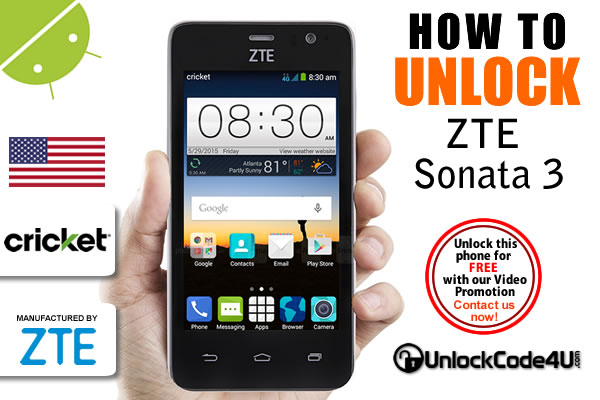
How to Unlock ZTE Sonata 3 from Cricket

Factory Unlock Code ZTE Sonata 3 from Cricket

With 4G LTE speed and a powerful quad-core processor, the Sonata 3 Android smartphone can surely keep up with your busy, on-the-go lifestyle. The large 5" display with Dragontrail™ Glass is easy to see and provides added protection against scratches and cracks. Capture great pictures and HD video with the 5MP camera with flash, and snap selfies in a snap with the front-facing camera. With Dolby Audio™ enjoy high-quality sound for all your movies, games and music. The ZTE Sonata 3 provides extraordinary performance at an affordable price!

Is your phone asking for sim netwotk unlock pin?

SIM Network Unlock PIN is what you see when power on your phone with a different SIM card like in the image below? This is because your phone is locked to a service provider and you cannot use any other SIM card till you enter the unlocking code. To get rid of this message, follow the steps below.


ZTE Sonata 3 UNLOCKING INSTRUCTIONS

1.  Get your ZTE Sonata 3 unlock code
2.  Once you have the unlock code, power on your phone with SIM Card from a network that does not work with your phone,
3.  The phone should ask for the SIM Network Unlock PIN,
4.  Enter the unlock code provided by us into your ZTE Sonata 3.
5.  Now your phone should display this message: Network Unlock Successful.


Important Note: Prior placing the order please make sure your phone is locked by power it on with a non-accepted SIM card.  The phone MUST prompt for the unlock code.

MOST COMMON QUESTIONS WHEN UNLOCKING A ZTE PHONE

1. What's the average delivery Time?
The average delivery time for any Samsung unlock code is 12 hrs.

2. Will my unlocked Samsung phone work on most GSM networks?
Yes, once your phone is unlocked you will be able to use most of GSM Networks. However, we always recommend you to check if your device supports the new carrier network bands. Keep in mind that your device technology must be compatible with network technology to enable access and functionality.

3. Will the unlocking be reversed if there is a software update?
No, even after software updates your phone will remain unlocked.

More Information at Unlock ZTE Sonata 3 from Cricket

Find out more about this amazing device in the video review below by Magic Tech Review

Read More »

Tuesday, 8 August 2017

How to Unlock ZTE Blade X Max from Cricket

Factory Unlock Code ZTE Grand™ X 4 from Cricket

ZTE Blade™ X Max is the perfect large screen smartphone, not only for your everyday needs, but also for exceptional entertainment, photography, and productivity. The massive 6" full HD display, protected by Dragontrail glass shows images in their full crisp, colorful brilliance, making email and messages easy to read. There's also plenty of room to edit documents. High-quality 13 MP and 5 MP dual cameras with enhanced features allow you to capture special memories wherever you are. Fast octa-core processing power, combined with Cricket's 4G LTE speed, and a large battery that charges up to 25% faster with Qualcomm® Quick Charge™ 2.0, means it will always keep up with you!

Is you phone asking for sim netwotk unlock pin?

SIM Network Unlock PIN is what you see when power on your phone with a different SIM card like in the image below? This is because your phone is locked to a service provider and you cannot use any other SIM card till you enter the unlocking code. To get rid of this message, follow the steps below.


ZTE blade x Max UNLOCKING INSTRUCTIONS

1.  Get your ZTE Blade X Max unlock code
2.  Once you have the unlock code, power on your phone with SIM Card from a network that does not work with your phone,
3.  The phone should ask for the SIM Network Unlock PIN,
4.  Enter the unlock code provided by us into your ZTE Blade X Max.
5.  Now your phone should display this message: Network Unlock Successful.


Important Note: Prior placing the order please make sure your phone is locked by power it on with a non-accepted SIM card.  The phone MUST prompt for the unlock code.

MOST COMMON QUESTIONS WHEN UNLOCKING A ZTE PHONE

1. What's the average delivery Time?
The average delivery time for any Samsung unlock code is 12 hrs.

2. Will my unlocked Samsung phone work on most GSM networks?
Yes, once your phone is unlocked you will be able to use most of GSM Networks. However, we always recommend you to check if your device supports the new carrier network bands. Keep in mind that your device technology must be compatible with network technology to enable access and functionality.

3. Will the unlocking be reversed if there is a software update?
No, even after software updates your phone will remain unlocked.

More Information at Unlock ZTE Blade X Max from Cricket

Find out more about this amazing device in the video review below by Donavon Hornbeck


Read More »

Tuesday, 21 March 2017

How to Unlock ZTE Grand X 4 from Cricket

Factory Unlock Code ZTE Grand™ X 4 from Cricket

The ZTE Grand X 4 helps you do everything you need from a smartphone. It keeps up with you when you are on the go, with a fast quad-core processor, 4G LTE speeds and a large battery with quick charging technology. Its big, bright 5.5" HD screen and Dolby Audio™ makes consuming, reading and watching entertainment and media more enjoyable. It helps you take amazing photos with advanced photography settings. It keeps you in touch with your health, with a heart rate monitor and an app that helps you track your steps, your meals, and more. And, if that weren't enough, its fingerprint sensor knows you by touch and keeps all your information safe. Now that's a BFF!

Is you phone asking for sim netwotk unlock pin?

SIM Network Unlock PIN is what you see when power on your phone with a different SIM card like in the image below? This is because your phone is locked to a service provider and you cannot use any other SIM card till you enter the unlocking code. To get rid of this message, follow the steps below.


ZTE Grand™ X 4 UNLOCKING INSTRUCTIONS

1.  Get your ZTE Grand™ X 4 unlock code
2.  Once you have the unlock code, power on your phone with SIM Card from a network that does not work with your phone,
3.  The phone should ask for the SIM Network Unlock PIN,
4.  Enter the unlock code provided by us into your ZTE Grand X 4.
5.  Now your phone should display this message: Network Unlock Successful.


Important Note: Prior placing the order please make sure your phone is locked by power it on with a non-accepted SIM card.  The phone MUST prompt for the unlock code.

MOST COMMON QUESTIONS WHEN UNLOCKING A ZTE PHONE

1. What's the average delivery Time?
The average delivery time for any Samsung unlock code is 24 hrs.

2. Will my unlocked Samsung phone work on most GSM networks?
Yes, once your phone is unlocked you will be able to use most of GSM Networks. However, we always recommend you to check if your device supports the new carrier network bands. Keep in mind that your device technology must be compatible with network technology to enable access and functionality.

3. Will the unlocking be reversed if there is a software update?
No, even after software updates your phone will remain unlocked.

More Information at Unlock ZTE Grand™ X 4 from Cricket

Find out more about this amazing device in the video below by Donavon Hornbeck


Read More »

Wednesday, 11 April 2012

Average Delivery Times for Unlock Codes


How long will it take for me to get my unlock code?


UnlockCode4u.com offers the fastest delivery time as we are dealing in most of the cases directly with the manufacture.

At UnlockCode4U.com our main priority is to have your phone unlocked. If you have not received your unlock code within the time indicated below, we might be submitting your phone details into an alternative tool as your device IMEI number may have been blocked by the carrier or network.  Please allow some additional time for the IMEI number to be processed through our alternative tool.  Our automated system will come back to you with the outcome.

NOTE: If the timeframe has Not exceeded the average turnaround time please DO NOT contact us asking for your order, as we are working to get the unlock code for you as soon as possible. Our system is automated and will send you a unique unlock code as soon as it’s ready.

Please keep in mind that these are average processing times.  We will always do our best to reply or send the unlocking code for you as soon as possible.  If your order has taken longer than our listed delivery times, feel free to contact us and we will give you a status update. You can also check the status of your order.

There are no refunds if the time has exceeded the average time, as these are just average. Refunds are only issued if we are unable to find the unlock code for your device or upon video evidence the code we provided didn’t work on your device.

Note: If you received a “Delayed” E-Mail from us, it means we are trying an alternative unlocking tool for you, please allow some additional time for us to deliver your order. 

Unlock code delivery times:

Blackberry Unlocking Instant – 15 minutes
HTC Unlocking  5 minutes – 3 hours

Samsung Unlocking 1 – 5 Business days
LG Unlocking 5 minutes – 2 hours
ZTE Unlocking 5 minutes – 24 hours

iPhone Unlocking 24 hours - 19 days
Huawei Unlocking 3 - 7 Days
Sony Unlocking 3 - 9 days
Pantech Unlocking 5 min - 2 hrs
Nokia Unlocking 7 - 15 days
Motorola Unlocking
  1 - 3 days

Alcatel Unlocking 1 - 3 days
Doro Unlocking 1 - 12 hrs


IMPORTANT: These delivery times above are general and show the maximum and minimum it could take. For specific delivery times go to your model page (i.e. Galaxy S4 or iPhone 5) and choose the carrier network your phone is locked to.

Want to find out more about us and our promotions?
Our Home Page: UnlockCode4U.com
Want to know how is your order going? Order Status
You help us to help and we help you: Free Phone Unlocking
NEW! Want to find out if your phone is blacklisted? IMEI checker
NEW! Do you know the Status, Network, of you iPhone? iPhone checker
Read More »