Showing posts with label Z1. Show all posts

Wednesday, 15 April 2015

Unlock Any Sony Xperia Phone (E1, E2, E3, M1, M2, M3, Z1, Z2, Z3, Z4, Z5, etc...) by factory unlock code

Factory Unlock Code for any Sony Xperia.


The video below is an example of a customer unlocking his Sony Xperia phone. We unlock 99% of all GSM networks for any Xperia
. Unlocking your phone could not be simpler and is 100% Guaranteed. 


How to Unlock Xperia M2 from Vodafone by Unlock Code - UnlockCode4U.com


Unlocking Instructions for any Sony Xperia Phone:
1.  Enter a SIM Card from a network that does not work with your phone, 

2.  Power your Sony phone on. 
3.  Once powered on, you will be asked for an unlock code. 
4.  Enter the unlock code provided by us on the email into your Sony device.  
5.  Your phone is now unlocked!!!! 

IMPORTANT: Prior placing the order, please make sure your phone is locked by power it on with a non-accepted SIM card - The phone MUST prompt for the unlock code. Please also make sure that your phone is not hard locked and you have enough attempts to enter the code. For more details go How to know if my Sony Phone Network is Fully Unlocked or Hardlocked

Most common questions when unlocking Samsung

1. What's the average delivery Time?
The average delivery time for any Sony Xperia unlock code is 2 – 5 days


2. Do the unlock codes work?
Yes they do! Our Sony Xperia codes are provided by the manufacture and they are uniquely assigned to your phone IMEI.


3. How much will it cost and how will I get the code?
The code will be delivered to your email address and the price will depend on the network provider the phone is locked to and the model. 


Read More »

Thursday, 19 February 2015

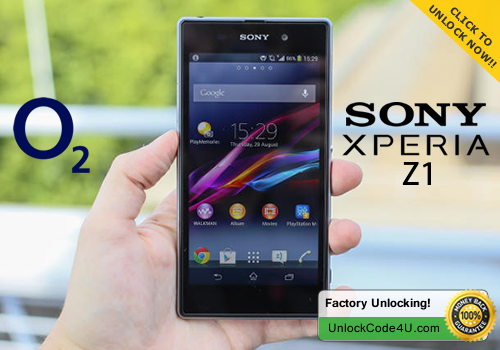
How to Unlock Sony Xperia Z1 from O2 network by unlock code


Factory Unlock Code for Sony Xperia Z1 from O2


IMPORTANT: Prior placing the order please make sure your phone is locked by power it on with a non-accepted SIM card - The phone MUST prompt for the unlock code. Please also make sure that your phone is not hard locked and you have enough attempts to enter the code. For more details go How to know if my Sony Phone Network is Fully Unlocked or Hardlocked

Sony Xperia Z1 Unlocking Instructions Guide:
1. Insert a non-accepted Sim card
2. Phone will ask for a “Sim Network Unlock Pin”
3. Enter the 16 digit Unlock Code emailed to you

4. Your Phone is now unlocked!!

The video below is an example of a customer unlocking his Sony Xperia phone. Unlocking your Sony Xperia could not be simpler and is 100% Guaranteed.


Why Unlock your Sony Speria Z1 from O2 with UnlockCode4U.com?
* Your Sony Xperia Z1 unlocking code is delivered to your email address.
* Unlock your phone from the comfort of your own home. 
* Never send your phone to anybody.
* If you travel you will save roaming fees by being able to use a local simcards.
* Warranty will not be voided.
* The resell value of your device will increase significantly as it is available to more networks.
* Easily switch between simcard, using the same mobile phone.
* Very easy, no technical experience necessary.
* No complicated software, or cable, just simply enter the unlock code we send you.
* The phone is permanently unlocked, even after updates.


Want to find out more about Us and Our promotions?
Our Home Page: UnlockCode4U.com
Want to know how long it takes? See our average delivery time
Want to know how is your order going? Order Status
You help us to help and we help you: Free Phone Unlocking Offer
NEW! Want to find out if your phone is blacklisted? IMEI checker
NEW! Do you know the Status, Network, of you iPhone? iPhone checker   
Read More »