Showing posts with label network. Show all posts

Tuesday, 12 January 2016

How to Network Unlock HTC One M9 from O2 by unlock code

Factory Unlock Code HTC One M9 from O2

PHONE SPECTS

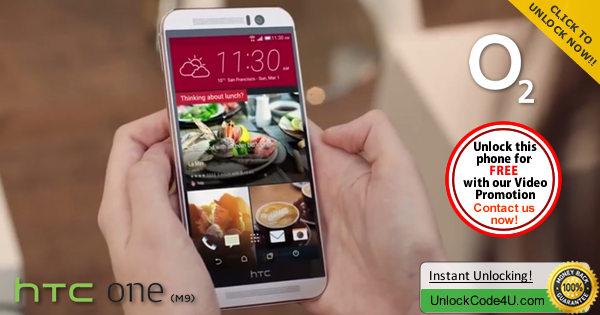
HTC One M9 Features an elegant all-metal body and dual tone design with a 20 megapixel camera with a 4MP HTC UltraPixel™ front facing camera that allows for better photos in low light conditions. Dual front facing stereo speakers with Dolby Audio™ surround sound technology for superior sound quality. The incredibly intuitive HTC sense lets you customize your user interface.

UNLOCK HTC ONE M9 FROM O2

SIM Network Unlock PIN is what you see when power on your phone with a different SIM card? This is because your phone is locked to a service provider and you cannot use any other SIM card. To get rid of this message, follow the steps below.

HTC ONE M9 UNLOCKING INSTRUCTIONS

1.  Get your HTC One M9 unlock code
2.  Once you have the unlock code, power on your phone with SIM Card from a network that does not work with your phone,
3.  The phone should ask for the SIM Network Unlock PIN,
4.  Enter the unlock code provided by us into your HTC One M9.
5.  Now your phone should display this message: Successfully Unlocked from the Network. Rebooting...

Watch the Video below to see how Easy and Simple is to unlock your HTC phone.


Important Note: Prior placing the order please make sure your phone is locked by power it on with a non-accepted SIM card.  The phone MUST prompt for the unlock code.

MOST COMMON QUESTIONS WHEN UNLOCKING A HTC PHONE

1. What's the average delivery Time?
The average delivery time for any HTC unlock code is 15 min.

2. Will my unlocked HTC phone work on most GSM networks?
Yes, once your phone is unlocked you will be able to use most of GSM Networks. However, we always recommend you to check if your device supports the new carrier network bands. Keep in mind that your device technology must be compatible with network technology to enable access and functionality.

3. Will the unlocking be reversed if there is a software update?
No, even after software updates your phone will remain unlocked.

More Information at Unlock HTC One M9 from O2

Read More »

Wednesday, 19 August 2015

How to Unlock Pantech Vybe from At&T by unlock code in just minutes

Factory Unlock Code for Pantech Vybe

This Code is eligible for our Cash Back Promo. Click on the image below for more details:
 Make a video unlocking your phone and get 100% cash back :)

IMPORTANT: Prior placing the order please make sure your phone is locked by power it on with a non-accepted SIM card. The phone MUST prompt for the unlock code.

Pantech Vybe from At&T Unlocking Instructions: 
1.  Power on your Pantech phone with a non- accepted SIM Card,
2.  Once powered on, you will be asked for a
“Enter Pin” or “Enter Unlock Code”,
3.  Enter the unlock code provided by us on the email we sent into your Pantech device.
4.  Your phone is now unlocked!!!! 


Common Q&A
1. After unlocking, can I use my phone on any GSM network?
Yes, as soon as your phone is unlocked you will be able to use it on any GSM network, national and international.

2. Do the unlock codes work?
Yes they do! Our Pantech codes are calculated with the latest algorithm so we can guarantee that your code will work, otherwise your payment will be refunded.


3. How long does it take?
The average delivery time is 15 min, however sometimes can take up to 2 hrs.

Reasons to remotely unlock Pantech Vybe with UnlockCode4U:
* Unlock your phone from the comfort of your own home.
* Never send your phone to anybody.
* If you travel you will save roaming fees by being able to use a local SIM cards.
* Warranty will not be voided.
* The resell value of your device will increase significantly as it is available to more networks.
* Easily switch between SIM card, using the same mobile phone.
* Very easy, no technical experience necessary.
* The phone is permanently unlocked, even after updates.
* 100% Guaranteed, if we cannot get you, your unlock solution we will refund you.


Read More »

Saturday, 15 August 2015

Unlock ZTE Grand X Plus by unlock code

Factory Unlock Code for ZTE Grand X Plus

This Code is eligible for our Cash Back Promo. Click on the image below for more details:
 Make a video unlocking your phone and get 100% cash back :)

IMPORTANT: Prior placing the order please make sure your phone is locked by power it on with a non-accepted SIM card. The phone MUST prompt for the unlock code.

ZTE Grand X Plus Unlocking Instructions: 
1.  Power on your ZTE phone with a non- accepted SIM Card,
2.  Once powered on, you will be asked for a
“SIM Network Unlock PIN”,
3.  Enter the unlock code provided by us on the email we sent into your ZTE device.
4.  Your phone is now unlocked!!!! 


Common Q&A
1. After unlocking, can I use my phone on any GSM network?
Yes, as soon as your phone is unlocked you will be able to use it on any GSM network, national and international.

2. Do the unlock codes work?
Yes they do! Our ZTE codes are provided by the manufacture and they are uniquely assigned to your phone's IMEI.


3. How long does it take?
The average delivery time is 2 hrs.

Reasons to remotely unlock ZTE  Grand X Plus with UnlockCode4U:
* Unlock your phone from the comfort of your own home.
* Never send your phone to anybody.
* If you travel you will save roaming fees by being able to use a local SIM cards.
* Warranty will not be voided.
* The resell value of your device will increase significantly as it is available to more networks.
* Easily switch between SIM card, using the same mobile phone.
* Very easy, no technical experience necessary.
* The phone is permanently unlocked, even after updates.
* 100% Guaranteed, if we cannot get you, your unlock solution we will refund you.


Read More »

Thursday, 23 July 2015

How to unlock Huawei Ascend Y550 from Meteor Ireland by Unlock Code


Factory Unlock Code for Huawei Ascend Y550 from Meteor Network

This Code is eligible for our Cash Back Promo. Click on the image below for more details:

 Make a video unlocking your phone and get 100% cash back :)

IMPORTANT: Prior placing the order, please make sure your phone is locked by power it on with a non-accepted SIM card - The phone MUST prompt for the unlock code.

Huawei Ascend Y550
Unlocking Instructions: 
1.  Power on your Huawei phone with a non- accepted SIM Card,
2.  Once powered on, you will be asked for a Network Unlock Code,
3.  Enter the unlock code provided by us on the email we sent into your HUAWEI device.
4.  Your phone is now unlocked!!!! 


The video below is an example of a customer unlocking a Huawei Phone. We unlock 99% of all GSM networks for any Huawei device. Unlocking your phone could not be simpler and is 100% Guaranteed. Watch the Video sample below:


Reasons to remotely unlock Huawei Ascend Y550 from Meteor with UnlockCode4U:
* Unlock your phone from the comfort of your own home.
* Never send your phone to anybody.
* If you travel you will save roaming fees by being able to use a local SIM cards.
* Warranty will not be voided.
* The resell value of your device will increase significantly as it is available to more networks.
* Easily switch between SIM card, using the same mobile phone.
* Very easy, no technical experience necessary.
* The phone is permanently unlocked, even after updates.
* 100% Guaranteed, if we cannot get you, your unlock solution we will refund you.


Read More »

Tuesday, 21 July 2015

Unlock your Blackberry Q10 from Vodafone by Unlock Code without Voiding its Warranty

Factory Unlock Code for BlackBerry Q10 from Vodafone


IMPORTANT: Prior placing the order please make sure your phone is locked
by power it on with a non-accepted SIM card. 


BlackBerry Q10 Unlocking Instructions Guide:
1. Insert a non accepted simcard and power phone on.
2. Go to Settings > Security and Privacy > Simcard
3. Press “Unlock Network”
4. Enter the 8 or 16 digit code


Watch Our Customer Unlocking his Balckberry phone in minutes


FAQ about Unlocking BlackBerry Q10
Q: How much will it cost to Unlock BlackBerry Q10 from Vodafone?
A: The price will depend on the Network your 
BlackBerry Q10 is locked to. Click on the link below to find it out. 

Q. What's the average delivery Time? 

The average delivery time for  BlackBerry Q10 unlock codes is 12 Hrs

Q: Will this work for sure?
A: Yes, all of our codes are 100% Guaranteed and genuine to unlock your phone’s Network. Please keep in mind, an unlocked phone will not be compatible with every Service Provider. It is up to you to verify with the carrier you wish to use if your BlackBerry Q10 will be compatible on their network after being unlocked.

Q: Will Unlocking my
BlackBerry Q10 damage my phone or erase any data?
A: Absolutely not, the method we use is the official and genuine way to unlock your 
BlackBerry Q10 via Remote unlock code. After Unlocking your device nothing will change, except your phone’s ability to use other network simcards with it. It is 100% guaranteed and safe for unlocking your phone’s network. 

More Information: Unlock BlackBerry Q10

Read More »

Wednesday, 1 July 2015

How to Unlock Pantech Pocket from At&T by unlock code in just minutes

Factory Unlock Code for Pantech Pocket

This Code is eligible for our Cash Back Promo. Click on the image below for more details:
 Make a video unlocking your phone and get 100% cash back :)

IMPORTANT: Prior placing the order please make sure your phone is locked by power it on with a non-accepted SIM card. The phone MUST prompt for the unlock code.

Pantech Pocket from At&T Unlocking Instructions: 
1.  Power on your Pantech phone with a non- accepted SIM Card,
2.  Once powered on, you will be asked for a
“Enter Pin” or “Enter Unlock Code”,
3.  Enter the unlock code provided by us on the email we sent into your Pantech device.
4.  Your phone is now unlocked!!!! 


Common Q&A
1. After unlocking, can I use my phone on any GSM network?
Yes, as soon as your phone is unlocked you will be able to use it on any GSM network, national and international.

2. Do the unlock codes work?
Yes they do! Our Pantech codes are calculated with the latest algorithm so we can guarantee that your code will work, otherwise your payment will be refunded.


3. How long does it take?
The average delivery time is 15 min, however sometimes can take up to 2 hrs.

Reasons to remotely unlock Pantech Pocket with UnlockCode4U:
* Unlock your phone from the comfort of your own home.
* Never send your phone to anybody.
* If you travel you will save roaming fees by being able to use a local SIM cards.
* Warranty will not be voided.
* The resell value of your device will increase significantly as it is available to more networks.
* Easily switch between SIM card, using the same mobile phone.
* Very easy, no technical experience necessary.
* The phone is permanently unlocked, even after updates.
* 100% Guaranteed, if we cannot get you, your unlock solution we will refund you.


Read More »

Tuesday, 30 June 2015

How to Unlock ZTE Grand X Plus from Fido Canada by unlock code

Factory Unlock Code for ZTE Grand X Plus

This Code is eligible for our Cash Back Promo. Click on the image below for more details:
 Make a video unlocking your phone and get 100% cash back :)

IMPORTANT: Prior placing the order please make sure your phone is locked by power it on with a non-accepted SIM card. The phone MUST prompt for the unlock code.

ZTE  Grand X Plus Unlocking Instructions: 
1.  Power on your ZTE phone with a non- accepted SIM Card,
2.  Once powered on, you will be asked for a
“Enter Pin” or “Enter Unlock Code”,
3.  Enter the unlock code provided by us on the email we sent into your ZTE device.
4.  Your phone is now unlocked!!!! 


Common Q&A
1. After unlocking, can I use my phone on any GSM network?
Yes, as soon as your phone is unlocked you will be able to use it on any GSM network, national and international.

2. Do the unlock codes work?
Yes they do! Our ZTE codes are provided by the manufacture and they are uniquely assigned to your phone's IMEI.


3. How long does it take?
The average delivery time is 2 hrs, however sometimes can take up to 24 hrs.

Reasons to remotely unlock ZTE  Grand X Plus with UnlockCode4U:
* Unlock your phone from the comfort of your own home.
* Never send your phone to anybody.
* If you travel you will save roaming fees by being able to use a local SIM cards.
* Warranty will not be voided.
* The resell value of your device will increase significantly as it is available to more networks.
* Easily switch between SIM card, using the same mobile phone.
* Very easy, no technical experience necessary.
* The phone is permanently unlocked, even after updates.
* 100% Guaranteed, if we cannot get you, your unlock solution we will refund you.


Read More »

Monday, 29 June 2015

Network unlock code for your Samsung Galaxy Core Prime from any GSM Network

Factory Unlock Code for Samsung Galaxy Core Prime


The video below is an example of a customer unlocking a Samsung Galaxy phone. We unlock 99% of all GSM networks for any Galaxy device. Unlocking your phone could not be simpler and is 100% Guaranteed. 


Unlocking Instructions for Samsung Galaxy Core Prime:

1.  Enter a SIM Card from a network that does not work with your phone, 

2.  Power your Samsung phone on. 
3.  Once powered on, you will be asked for an unlock code. 
4.  Enter the unlock code provided by us on the email into your Samsung device.  
5.  Your phone is now unlocked!!!! 

IMPORTANT: Prior placing the order please make sure your phone is locked
by power it on with a non-accepted SIM card.  - The phone MUST prompt for the unlock code.


Most common questions when unlocking Samsung

1. What's the average delivery Time? The average delivery time for any Samsung unlock code is 45 min

2. Do the unlock codes work? Yes they do! Our Samsung codes are provided by the manufacture and they are uniquely assigned to your phone's IMEI.

3. What happen if my Samsung Phone is hard locked?

Don't Worry! You will get a set codes: NETWORK code, PROVIDER code, SUBPROVIDER code and DEFREEZE code.If your phone is hard locked, all you have to do is to enter first the DEFREEZE code and press "Unlock" and then the NETWORK code and press "Unlock, the screen should display "Network Unlock Successful"

** A phone is hard locked when the wrong code has been entered several times.  


Read More »