Showing posts with label galaxy. Show all posts

Sunday, 11 October 2015

How to Unlock Samsung Galaxy Xcover 3 from T-Mobile by Unlock Code

Factory Unlock Code for Samsung Galaxy Xcover 3 from T-Mobile


The video below is an example of a customer unlocking a Samsung Galaxy phone. We unlock 99% of all GSM networks for any Galaxy device. Unlocking your phone could not be simpler and is 100% Guaranteed. Watch the Video sample below:


Unlocking Instructions for Samsung Galaxy Xcover 3:
1.  Enter a SIM Card from a network that does not work with your phone, 
2.  Power your Samsung phone on. 
3.  Once powered on, you will be asked for an unlock code. 
4.  Enter the unlock code provided by us on the email into your Samsung device.  
5.  Your phone is now unlocked!!!! 

IMPORTANT: Prior placing the order please make sure your phone is locked
by power it on with a non-accepted SIM card.  - The phone MUST prompt for the unlock code.


Most common questions when unlocking Samsung

1. What's the average delivery Time? The average delivery time for any Samsung unlock code is 45 min

2. Do the unlock codes work? Yes they do! Our Samsung codes are provided by the manufacture and they are uniquely assigned to your phone's IMEI.

3. What happen if my Samsung Phone is hard locked?

Don't Worry! You will get a set codes: NETWORK code, PROVIDER code, SUBPROVIDER code and DEFREEZE code.If your phone is hard locked, all you have to do is to enter first the DEFREEZE code and press "Unlock" and then the NETWORK code and press "Unlock, the screen should display "Network Unlock Successful"

** A phone is hard locked when the wrong code has been entered several times.  



Read More »

Friday, 25 September 2015

How to bypass the Pattern lock and Security Password in most Samsung Galaxy phone

This will work with most Samsung Galaxy phone.

This is the trick to use in case you have forgotten your pattern lock, your personal PIN number (4 digit codes) and finger scanner.

We will also teach you how to Factory Reset your Samsung Galaxy.
****Please keep in mind that all your data will be erased ****

Let say that you forgot your Pattern lock or your PIN code, you also have tried several times different patterns and codes, and still no luck.

What you have to actually do now is to switch OFF your phone, just press the ON/OFF button and press POWER OFF, once your phone is OFF, you will need 3 buttons in order to put your phone in “Android Recovery Mode” , these buttons are:
    - The Home Button
    - The volume UP key
    - The Power button
Now you have to press ALL 3 buttons at the same time!!!

Keep pressing until the screen turns ON, and then let it go. Wait few second more (45-60seconds).
In the Recovery Mode screen, use Volume up/down button and Power button to confirm.

    - Scroll down to select  “wipe data/factory reset” and use Power button to confirm (as on the photo below)


- Now Scroll down to Yes to confirm by POWER button to wipe of all user data (see photo below)


And it will start formatting your phone.

Once it’s done you will see at the bottom of the screen “Data wipe complete” and now you can reboot your phone, press once again Power button.

The phone will start up as brand new phone, you will have to customise your phone again, and the most important, set up your new Pattern lock or PIN code.

Again please keep in mind that all your data will be erased (all your messages and folders etc) but as you have your Samsung Galaxy backed up in your Gmail account it will be easy enough to get you set up.


Read More »

Tuesday, 15 September 2015

How to Unlock Samsung Galaxy Xcover 3 from O2 by Unlock Code

Factory Unlock Code for Samsung Galaxy Xcover 3 from O2


The video below is an example of a customer unlocking a Samsung Galaxy phone. We unlock 99% of all GSM networks for any Galaxy device. Unlocking your phone could not be simpler and is 100% Guaranteed. Watch the Video sample below:


Unlocking Instructions for Samsung Galaxy Xcover 3:
1.  Enter a SIM Card from a network that does not work with your phone, 
2.  Power your Samsung phone on. 
3.  Once powered on, you will be asked for an unlock code. 
4.  Enter the unlock code provided by us on the email into your Samsung device.  
5.  Your phone is now unlocked!!!! 

IMPORTANT: Prior placing the order please make sure your phone is locked
by power it on with a non-accepted SIM card.  - The phone MUST prompt for the unlock code.


Most common questions when unlocking Samsung

1. What's the average delivery Time? The average delivery time for any Samsung unlock code is 45 min

2. Do the unlock codes work? Yes they do! Our Samsung codes are provided by the manufacture and they are uniquely assigned to your phone's IMEI.

3. What happen if my Samsung Phone is hard locked?

Don't Worry! You will get a set codes: NETWORK code, PROVIDER code, SUBPROVIDER code and DEFREEZE code.If your phone is hard locked, all you have to do is to enter first the DEFREEZE code and press "Unlock" and then the NETWORK code and press "Unlock, the screen should display "Network Unlock Successful"

** A phone is hard locked when the wrong code has been entered several times.  


Read More »

Friday, 7 August 2015

How to Unlock Samsung Galaxy Xcover 3 from Vodafone by Unlock Code

Factory Unlock Code for Samsung Galaxy Xcover 3 from Vodafone


The video below is an example of a customer unlocking a Samsung Galaxy phone. We unlock 99% of all GSM networks for any Galaxy device. Unlocking your phone could not be simpler and is 100% Guaranteed. Watch the Video sample below:


Unlocking Instructions for Samsung Galaxy Xcover 3:
1.  Enter a SIM Card from a network that does not work with your phone, 
2.  Power your Samsung phone on. 
3.  Once powered on, you will be asked for an unlock code. 
4.  Enter the unlock code provided by us on the email into your Samsung device.  
5.  Your phone is now unlocked!!!! 

IMPORTANT: Prior placing the order please make sure your phone is locked
by power it on with a non-accepted SIM card.  - The phone MUST prompt for the unlock code.


Most common questions when unlocking Samsung

1. What's the average delivery Time? The average delivery time for any Samsung unlock code is 45 min

2. Do the unlock codes work? Yes they do! Our Samsung codes are provided by the manufacture and they are uniquely assigned to your phone's IMEI.

3. What happen if my Samsung Phone is hard locked?

Don't Worry! You will get a set codes: NETWORK code, PROVIDER code, SUBPROVIDER code and DEFREEZE code.If your phone is hard locked, all you have to do is to enter first the DEFREEZE code and press "Unlock" and then the NETWORK code and press "Unlock, the screen should display "Network Unlock Successful"

** A phone is hard locked when the wrong code has been entered several times.  


Read More »

Monday, 29 June 2015

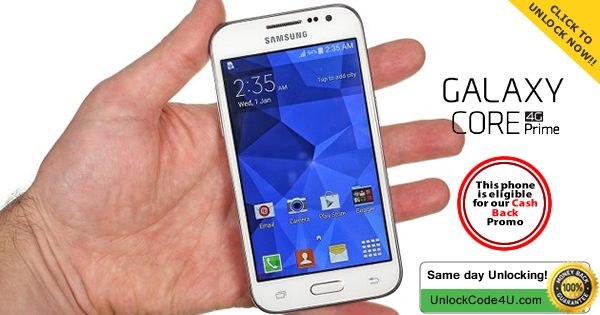
Network unlock code for your Samsung Galaxy Core Prime from any GSM Network

Factory Unlock Code for Samsung Galaxy Core Prime


The video below is an example of a customer unlocking a Samsung Galaxy phone. We unlock 99% of all GSM networks for any Galaxy device. Unlocking your phone could not be simpler and is 100% Guaranteed. 


Unlocking Instructions for Samsung Galaxy Core Prime:

1.  Enter a SIM Card from a network that does not work with your phone, 

2.  Power your Samsung phone on. 
3.  Once powered on, you will be asked for an unlock code. 
4.  Enter the unlock code provided by us on the email into your Samsung device.  
5.  Your phone is now unlocked!!!! 

IMPORTANT: Prior placing the order please make sure your phone is locked
by power it on with a non-accepted SIM card.  - The phone MUST prompt for the unlock code.


Most common questions when unlocking Samsung

1. What's the average delivery Time? The average delivery time for any Samsung unlock code is 45 min

2. Do the unlock codes work? Yes they do! Our Samsung codes are provided by the manufacture and they are uniquely assigned to your phone's IMEI.

3. What happen if my Samsung Phone is hard locked?

Don't Worry! You will get a set codes: NETWORK code, PROVIDER code, SUBPROVIDER code and DEFREEZE code.If your phone is hard locked, all you have to do is to enter first the DEFREEZE code and press "Unlock" and then the NETWORK code and press "Unlock, the screen should display "Network Unlock Successful"

** A phone is hard locked when the wrong code has been entered several times.  


Read More »

Tuesday, 7 April 2015

How to unlock Samsung Galaxy Mega 2 by unlock code from any US / Canada Carriers


The video below is an example of a customer unlocking his Samsung Galaxy phone. We unlock 99% of all GSM networks for any Galaxy Mega 2. Unlocking your phone could not be simpler and is 100% Guaranteed. 


IMPORTANT: Prior placing the order please make sure your phone is locked
by power it on with a non-accepted SIM card.  - The phone MUST prompt for the unlock code.


Unlocking Instructions for Samsung Galaxy Mega 2 Mini:

1.  Enter a SIM Card from a network that does not work with your phone, 

2.  Power your Samsung phone on. 
3.  Once powered on, you will be asked for an unlock code. 
4.  Enter the unlock code provided by us on the email into your Samsung device.  
5.  Your phone is now unlocked!!!! 

Most common questions when unlocking Samsung

1. What's the average delivery Time? The average delivery time for any Samsung unlock code is 2 hrs

2. Do the unlock codes work? Yes they do! Our Samsung codes are provided by the manufacture and they are uniquely assigned to your phone's IMEI.

3. What happen if my Samsung Phone is hard locked?

Don't Worry! You will get a set codes: NETWORK code, PROVIDER code, SUBPROVIDER code and DEFREEZE code.If your phone is hard locked, all you have to do is to enter first the DEFREEZE code and press "Unlock" and then the NETWORK code and press "Unlock, the screen should display "Network Unlock Successful"

** A phone is hard locked when the wrong code has been entered several times.  


Read More »

Tuesday, 24 March 2015

Samsung Galaxy S6 - Free Unlock Code for your S6

Factory Unlock Code for Samsung Galaxy S6

Samsung Galaxy S6 will be soon released in the USA and Europe. The Galaxy S2 was the very first Android smartphone that became a dangerous competitor for iPhone. And we loved Galaxy S3, S4 and S5, so we can say that Samsung Galaxy S6 is a big crucial one, and soon we will finally meet this incredible gadget.

So, what's the Galaxy S6 like? The phone is made of an attractive fusion of glass and metal. It's sadly not waterproof though. The device will come in four color variants in total, with the White Pearl, Black Sapphire, Blue Topaz and Gold Platinum.

The official price for Galaxy S6 is around £560, $855, AU$1100, €749 but as usual you can get cheaper offer from some big name retailers like AT&T, T-Mobile, Vodafone, Three, EE, O2, and VIRGIN MOBILE. If you are looking for Galaxy S6 with the special offers, then you need to check this.

UnlockCode4U.com is already offering an exclusive video promotion where you can get your Galaxy S6 Unlock Code for FREE.
 
(Promotion Available to any Country and any Network)

Place your order for your Samsung Galaxy S6 unlock code and contact us to let us know you are participating in the promotion by emailing contact@unlockcode4u.com

Please clearly film your phone:

1. pressing *#06#
2. entering the unlock code received by email and code being accepted
by the phone
3. the new network signal being shown on your device indicating the
phone has been unlocked

*Please upload the video to youtube.com or vimeo.com and reply directly back to this email with link of your video.

You will then receive a full refund from your purchase!

We will be doing this for the first 20 people who participate, this offer will be going fast!


Read More »

Sunday, 1 February 2015

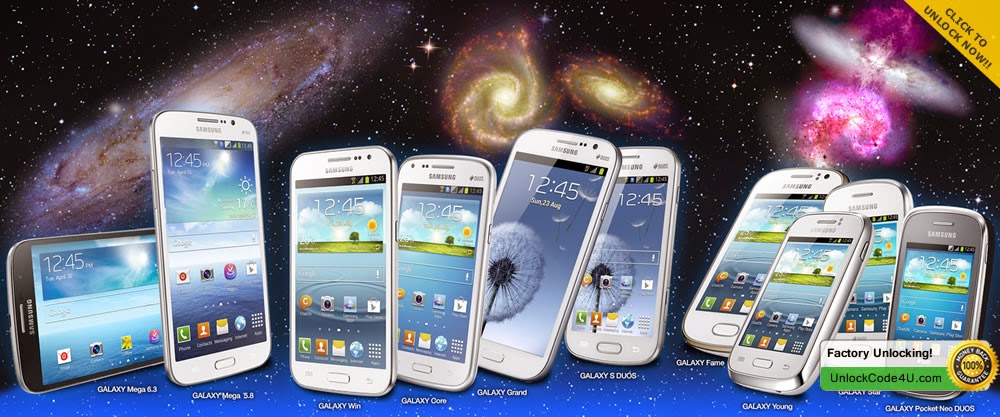
Unlock Any Samsung Galaxy phone (S, S2, S3, S4, S5, S6, Alpha, Note 4, etc...) by factory unlock code

Factory Unlock Code for any Samsung Galaxy Phone


The videos below are examples of a customer unlocking their Samsung Galaxy phones. We unlock 99% of all GSM networks for any Galaxy
. Unlocking your phone could not be simpler and is 100% Guaranteed. 


How to Unlock Samsung Galaxy Alpha from AT&T USA by Unlock Code - UnlockCode4U.com How to Unlock Samsung Galaxy Alpha from AT&T USA by Unlock Code - UnlockCode4U.com How to Unlock Samsung Galaxy S5 from At&T by Unlock Code - UnlockCode4U.com


Unlocking Instructions for any Samsung Galaxy Phone:
1.  Enter a SIM Card from a network that does not work with your phone, 

2.  Power your Samsung phone on. 
3.  Once powered on, you will be asked for an unlock code. 
4.  Enter the unlock code provided by us on the email into your Samsung device.  
5.  Your phone is now unlocked!!!! 

IMPORTANT: Prior placing the order please make sure your phone is locked
by power it on with a non-accepted SIM card.  - The phone MUST prompt for the unlock code.


Most common questions when unlocking Samsung

1. What's the average delivery Time? The average delivery time for any Samsung unlock code is 72 Hrs

2. Do the unlock codes work? Yes they do! Our Samsung codes are provided by the manufacture and they are uniquely assigned to your phone's IMEI.

3. What happen if my Samsung Phone is hard locked?

Don't Worry! You will get a set codes: NETWORK code, PROVIDER code, SUBPROVIDER code and DEFREEZE code.If your phone is hard locked, all you have to do is to enter first the DEFREEZE code and press "Unlock" and then the NETWORK code and press "Unlock, the screen should display "Network Unlock Successful"

** A phone is hard locked when the wrong code has been entered several times.  


Want to find out more about Us and Our promotions?
Our Home Page: UnlockCode4U.com
Want to know how long it takes? See our average delivery time
You have a Samsung Device? Read this: Unlocking Steps for Samsung Phones
Want to know how is your order going? Order Status
You help us to help and we help you: Free Phone Unlocking Offer 
NEW! Want to find out if your phone is blacklisted? IMEI checker
NEW! Do you know the Status, Network, of you iPhone? iPhone checker   
Read More »

Thursday, 29 January 2015

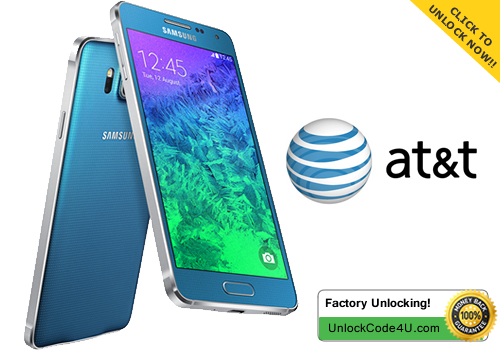
How to Unlock Samsung Galaxy Alpha from At&T by unlock code

Factory Unlock Code for Samsung Galaxy Alpha


The videos below are examples of customers unlocking a Samsung Galaxy Alpha phones. We unlock 99% of all GSM networks for any Galaxy Alpha. Unlocking your phone could not be simpler and is 100% Guaranteed. 


How to Unlock Samsung Galaxy Alpha from AT&T USA by Unlock Code - UnlockCode4U.com How to Unlock Samsung Galaxy Alpha from AT&T USA by Unlock Code - UnlockCode4U.com


Unlocking Instructions for Samsung Galaxy Alpha:

1.  Enter a SIM Card from a network that does not work with your phone, 

2.  Power your Samsung phone on. 
3.  Once powered on, you will be asked for an unlock code. 
4.  Enter the unlock code provided by us on the email into your Samsung device.  
5.  Your phone is now unlocked!!!! 

IMPORTANT: Prior placing the order please make sure your phone is locked
by power it on with a non-accepted SIM card.  - The phone MUST prompt for the unlock code.


Reasons to remotely unlock Samsung Galaxy Alpha with UnlockCode4U:
* Unlock your phone from the comfort of your own home.
* Never send your phone to anybody.
* If you travel you will save roaming fees by being able to use a local SIM cards.
* Warranty will not be voided.
* The resell value of your device will increase significantly as it is available to more networks.
* Easily switch between SIM card, using the same mobile phone.
* Very easy, no technical experience necessary.
* The phone is permanently unlocked, even after updates.
* 100% Guaranteed, if we cannot get you, your unlock solution we will refund you.


Want to find out more about Us and Our promotions?
Our Home Page: UnlockCode4U.com
Want to know how long it takes? See our average delivery time
You have a Samsung Device? Read this: Unlocking Steps for Samsung Phones
Want to know how is your order going? Order Status
You help us to help and we help you: Free Phone Unlocking Offer 
NEW! Want to find out if your phone is blacklisted? IMEI checker
NEW! Do you know the Status, Network, of you iPhone? iPhone checker   
Read More »