During Samsung’s presentation at the Mobile World Congress in Barcelona on the 27th of this month, Greenpeace protesters unfolded banners to call attention to the company’s handling of the disposal of millions of recalled Galaxy Note 7 phones.
Upon the steps that lead up to the Samsung stage stood a protestor holding a banner. The banner showed Samsung’s log, the recycling logo, the #GalaxyNote7 handle, and the slogan: “Rethink, Reuse, Recycle”. This prompted Samsung Electronics Europe’s chief marketing officer, David Lowes, to address the protestor, “You’ve made your point.”
Samsung had been under fire for some time since the company announced that they would destroy the entire stock rather than refurbishing them last year.
Samsung is doing a very great job at recalling and replacing millions of Galaxy Note 7 devices that has been sold worldwide, this is due to the Galaxy note 7 explosion.
The phone was recalled officially in the month of September and Samsung started issuing replacement with new models, unfortunately, the new model also started catching fire early this month and this made Samsung to inform all its Galaxy note 7 users to stop using the phone and return them all. Galaxy note 7 uses lithium based battery which is also the battery most phone manufacturers use, lithium based batteries have been used to power our mobile devices for the past twenty five years (25 years).
Samsung has not yet explained what is wrong with the batteries of the old and new Galaxy note 7 but there are some explanations for the explosions, the Consumer Product Safety Commission that is working with Samsung said that Samsung Galaxy note 7 battery is faulty, the commission said that the battery is a bit larger than the space allocated for it. Installing the battery crimps the edges or corners which can therefore lead to short circuiting of the battery, overheating and eventually catching fire.
According to a former researcher at Massachusetts Institute of Technology (MIT) Qichao HU, he said, batteries are bomb that releases their energy in a controlled way, but as manufacturers get to greater density and faster charge, the barrier to explosion becomes lesser.
Another explanation for the explosion of Samsung galaxy note 7 is the fast charging features that came with the phone, this problem arises from the tweaking made to the processor which made the battery to charge faster than it will do normally. Lithium is the lightest of all metals, and it can be used to pack a lot of energy into a small size which makes it perfect for mobile phones batteries. Trying to charge batteries faster will make it unstable, that is, volatile, which can make it to explode anytime. If you drive or push an engine too hard, it will surely explode along the way.
The other cause of combustion is the battery management system problem, battery management system monitors the current in a phone and also controls the charging of phone by telling the phone to stop charging once it is fully charged. If this system is faulty, the battery will enter overcharging state and if the battery continue to charge in this state, it will become very unstable and can eventually burst into flames.
To have a clear idea on how the explosion could happen, watch the video below:
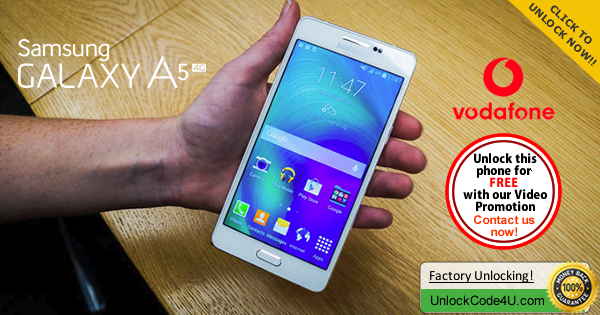
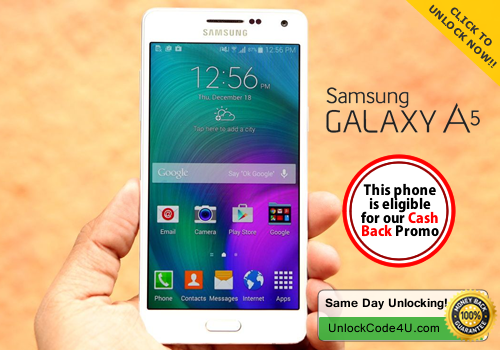
At just 6.7mm thin, the all-metal Galaxy A5 is Samsung's slimmest ever smartphone. And with a 5-inch HD Super AMOLED display and 13 megapixel camera, it's perfect for work or play.
The video below is an example of a customer unlocking a Samsung Galaxy phone. We unlock 99% of all GSM networks for any Galaxy device. Unlocking your phone could not be simpler and is 100% Guaranteed. Watch Video Sample Below:
Unlocking Instructions for Samsung Galaxy A5: 1. Enter a SIM Card from a network that does not work with your phone, 2. Power your Samsung phone on. 3. Once powered on, you will be asked for an unlock code. 4. Enter the unlock code provided by us on the email into your Samsung device. 5. Your phone is now unlocked!!!! IMPORTANT: Prior placing the order please make sure your phone is locked
by power it on with a non-accepted SIM card. - The phone MUST prompt for the unlock code. Most common questions when unlocking Samsung
1. What's the average delivery Time? The average delivery time for any Samsung unlock code is 45 min
2. Do the unlock codes work? Yes they do! Our Samsung codes are provided by the manufacture and they are uniquely assigned to your phone's IMEI.
3. What happen if my Samsung Phone is hard locked?
Don't Worry! You will get a set codes: NETWORK code, PROVIDER code, SUBPROVIDER code and DEFREEZE code.If your phone is hard locked, all you have to do is to enter first the DEFREEZE code and press "Unlock" and then the NETWORK code and press "Unlock, the screen should display "Network Unlock Successful"
** A phone is hard locked when the wrong code has been entered several times.
The video below is an example of a customer unlocking a Samsung Galaxy phone. We unlock 99% of all GSM networks for any Galaxy device. Unlocking your phone could not be simpler and is 100% Guaranteed. Watch Video Sample Below:
Unlocking Instructions for Samsung Galaxy A5: 1. Enter a SIM Card from a network that does not work with your phone, 2. Power your Samsung phone on. 3. Once powered on, you will be asked for an unlock code. 4. Enter the unlock code provided by us on the email into your Samsung device. 5. Your phone is now unlocked!!!! IMPORTANT: Prior placing the order please make sure your phone is locked
by power it on with a non-accepted SIM card. - The phone MUST prompt for the unlock code. Most common questions when unlocking Samsung
1. What's the average delivery Time? The average delivery time for any Samsung unlock code is 45 min
2. Do the unlock codes work? Yes they do! Our Samsung codes are provided by the manufacture and they are uniquely assigned to your phone's IMEI.
3. What happen if my Samsung Phone is hard locked?
Don't Worry! You will get a set codes: NETWORK code, PROVIDER code, SUBPROVIDER code and DEFREEZE code.If your phone is hard locked, all you have to do is to enter first the DEFREEZE code and press "Unlock" and then the NETWORK code and press "Unlock, the screen should display "Network Unlock Successful"
** A phone is hard locked when the wrong code has been entered several times.
The beautiful big sister of the A3, the Samsung Galaxy A5 is slimmer at 6.7mm and packs a 13MP rear camera. The ultra-slim full metal unibody design makes it super solid whilst staying lightweight. But it doesn’t just look good, you get brilliant performance with the fast quad-core processor and you can pack more friends into super selfies with a Wide Selfie function. And that’s not even mentioning the long lasting 2300mAh battery.
The video below is an example of a customer unlocking a Samsung Galaxy phone. We unlock 99% of all GSM networks for any Galaxy device. Unlocking your phone could not be simpler and is 100% Guaranteed. Watch Video Sample Below:
Unlocking Instructions for Samsung Galaxy A5: 1. Enter a SIM Card from a network that does not work with your phone, 2. Power your Samsung phone on. 3. Once powered on, you will be asked for an unlock code. 4. Enter the unlock code provided by us on the email into your Samsung device. 5. Your phone is now unlocked!!!! IMPORTANT: Prior placing the order please make sure your phone is locked
by power it on with a non-accepted SIM card. - The phone MUST prompt for the unlock code. Most common questions when unlocking Samsung
1. What's the average delivery Time? The average delivery time for any Samsung unlock code is 45 min
2. Do the unlock codes work? Yes they do! Our Samsung codes are provided by the manufacture and they are uniquely assigned to your phone's IMEI.
3. What happen if my Samsung Phone is hard locked?
Don't Worry! You will get a set codes: NETWORK code, PROVIDER code, SUBPROVIDER code and DEFREEZE code.If your phone is hard locked, all you have to do is to enter first the DEFREEZE code and press "Unlock" and then the NETWORK code and press "Unlock, the screen should display "Network Unlock Successful"
** A phone is hard locked when the wrong code has been entered several times.
This will work with most Samsung Galaxy phone. This is the trick to use in case you have forgotten your pattern lock, your personal PIN number (4 digit codes) and finger scanner. We will also teach you how to Factory Reset your Samsung Galaxy. ****Please keep in mind that all your data will be erased **** Let say that you forgot your Pattern lock or your PIN code, you also have tried several times different patterns and codes, and still no luck. What you have to actually do now is to switch OFF your phone, just press the ON/OFF button and press POWER OFF, once your phone is OFF, you will need 3 buttons in order to put your phone in “Android Recovery Mode” , these buttons are: - The Home Button - The volume UP key - The Power button Now you have to press ALL 3 buttons at the same time!!! Keep pressing until the screen turns ON, and then let it go. Wait few second more (45-60seconds). In the Recovery Mode screen, use Volume up/down button and Power button to confirm. - Scroll down to select “wipe data/factory reset” and use Power button to confirm (as on the photo below)
- Now Scroll down to Yes to confirm by POWER button to wipe of all user data (see photo below)
And it will start formatting your phone. Once it’s done you will see at the bottom of the screen “Data wipe complete” and now you can reboot your phone, press once again Power button. The phone will start up as brand new phone, you will have to customise your phone again, and the most important, set up your new Pattern lock or PIN code. Again please keep in mind that all your data will be erased (all your messages and folders etc) but as you have your Samsung Galaxy backed up in your Gmail account it will be easy enough to get you set up.
The video below is an example of a customer unlocking a Samsung Galaxy phone. We unlock 99% of all GSM networks for any Galaxy device. Unlocking your phone could not be simpler and is 100% Guaranteed.
Unlocking Instructions for Samsung Galaxy Core Prime: 1. Enter a SIM Card from a network that does not work with your phone, 2. Power your Samsung phone on. 3. Once powered on, you will be asked for an unlock code. 4. Enter the unlock code provided by us on the email into your Samsung device. 5. Your phone is now unlocked!!!! IMPORTANT: Prior placing the order please make sure your phone is locked
by power it on with a non-accepted SIM card. - The phone MUST prompt for the unlock code. Most common questions when unlocking Samsung
1. What's the average delivery Time? The average delivery time for any Samsung unlock code is 45 min
2. Do the unlock codes work? Yes they do! Our Samsung codes are provided by the manufacture and they are uniquely assigned to your phone's IMEI.
3. What happen if my Samsung Phone is hard locked?
Don't Worry! You will get a set codes: NETWORK code, PROVIDER code, SUBPROVIDER code and DEFREEZE code.If your phone is hard locked, all you have to do is to enter first the DEFREEZE code and press "Unlock" and then the NETWORK code and press "Unlock, the screen should display "Network Unlock Successful"
** A phone is hard locked when the wrong code has been entered several times.
The video below is an example of a customer unlocking a Samsung Galaxy phone. We unlock 99% of all GSM networks for any Galaxy device. Unlocking your phone could not be simpler and is 100% Guaranteed. Watch Video Sample Below:
Unlocking Instructions for Samsung Galaxy A5: 1. Enter a SIM Card from a network that does not work with your phone, 2. Power your Samsung phone on. 3. Once powered on, you will be asked for an unlock code. 4. Enter the unlock code provided by us on the email into your Samsung device. 5. Your phone is now unlocked!!!! IMPORTANT: Prior placing the order please make sure your phone is locked
by power it on with a non-accepted SIM card. - The phone MUST prompt for the unlock code. Most common questions when unlocking Samsung
1. What's the average delivery Time? The average delivery time for any Samsung unlock code is 45 min
2. Do the unlock codes work? Yes they do! Our Samsung codes are provided by the manufacture and they are uniquely assigned to your phone's IMEI.
3. What happen if my Samsung Phone is hard locked?
Don't Worry! You will get a set codes: NETWORK code, PROVIDER code, SUBPROVIDER code and DEFREEZE code.If your phone is hard locked, all you have to do is to enter first the DEFREEZE code and press "Unlock" and then the NETWORK code and press "Unlock, the screen should display "Network Unlock Successful"
** A phone is hard locked when the wrong code has been entered several times.
The video below is an example of a customer unlocking his Samsung Galaxyphone. We unlock 99% of all GSM networks for any Galaxy Mega 2. Unlocking your phone could not be simpler and is 100% Guaranteed.
IMPORTANT: Prior placing the order please make sure your phone is locked
by power it on with a non-accepted SIM card. - The phone MUST prompt for the unlock code. Unlocking Instructions for Samsung Galaxy Mega 2 Mini: 1. Enter a SIM Card from a network that does not work with your phone, 2. Power your Samsung phone on. 3. Once powered on, you will be asked for an unlock code. 4. Enter the unlock code provided by us on the email into your Samsung device. 5. Your phone is now unlocked!!!! Most common questions when unlocking Samsung
1. What's the average delivery Time? The average delivery time for any Samsung unlock code is 2 hrs
2. Do the unlock codes work? Yes they do! Our Samsung codes are provided by the manufacture and they are uniquely assigned to your phone's IMEI.
3. What happen if my Samsung Phone is hard locked?
Don't Worry! You will get a set codes: NETWORK code, PROVIDER code, SUBPROVIDER code and DEFREEZE code.If your phone is hard locked, all you have to do is to enter first the DEFREEZE code and press "Unlock" and then the NETWORK code and press "Unlock, the screen should display "Network Unlock Successful"
** A phone is hard locked when the wrong code has been entered several times.
Samsung Galaxy S6 will be soon released in the USA and Europe. The Galaxy S2 was the very first Android smartphone that became a dangerous competitor for iPhone. And we loved Galaxy S3, S4 and S5, so we can say that Samsung Galaxy S6 is a big crucial one, and soon we will finally meet this incredible gadget.
So, what's the Galaxy S6 like? The phone is made of an attractive fusion of glass and metal. It's sadly not waterproof though. The device will come in four color variants in total, with the White Pearl, Black Sapphire, Blue Topaz and Gold Platinum.
The official price for Galaxy S6 is around £560, $855, AU$1100, €749 but as usual you can get cheaper offer from some big name retailers like AT&T, T-Mobile, Vodafone, Three, EE, O2, and VIRGIN MOBILE. If you are looking for Galaxy S6 with the special offers, then you need to check this.
UnlockCode4U.com is already offering an exclusive video promotion where you can get your Galaxy S6 Unlock Code for FREE.
(Promotion Available to any Country and any Network)
Place your order for your Samsung Galaxy S6 unlock code and contact us to let us know you are participating in the promotion by emailing contact@unlockcode4u.com
Please clearly film your phone:
1. pressing *#06#
2. entering the unlock code received by email and code being accepted
by the phone
3. the new network signal being shown on your device indicating the
phone has been unlocked
*Please upload the video to youtube.com or vimeo.com and reply directly back to this email with link of your video.
You will then receive a full refund from your purchase!
We will be doing this for the first 20 people who participate, this offer will be going fast!