Showing posts with label optimus G. Show all posts

Monday, 27 January 2014

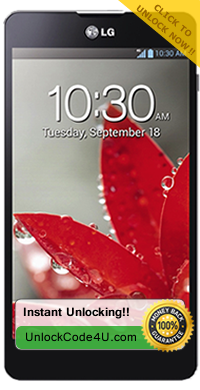
How to Unlock LG Optimus G (Also called: LG-F180, LG-F180S, LG-F180K, LG-F180L)


Factory Unlock Code for LG Optimus G

IMPORTANT: Prior placing the order please make sure your phone is locked by power it on with a non-accepted SIM card. 


LG Optimus G Unlocking Instructions:
1.  Power on your Lg phone with a non- accepted SIM Card,
2.  Once powered on, you will be asked for a Network Unlock Code,
3.  Enter the unlock code provided by us on the email we sent into your LG device.
4.  Your phone is now unlocked!!!! 


Common Q&A
1. What's the average delivery Time?
The average delivery time for any LG unlock code is 5 min

2. Do the unlock codes work?
Yes they do! Our LG codes are provided by the manufacture and they are uniquely assigned to your phone IMEI.


3. How much will it cost?
The price will depend on the network the phone is locked to and the model. So go to http://www.unlockcode4u.com/unlock-LG/ choose your model and then the network, and it will tel.

>>>>> Unlock LG Otimus G <<<<<


Want to find out more about Us and Our promotions?
Our Home Page: UnlockCode4U.com
Want to know how long it takes? See our average delivery time
You have a LG Device? Read this: Unlocking Steps for LG Phones 
Want to know how is your order going? Order Status
You help us to help and we help you: Free Phone Unlocking
Read More »

Thursday, 28 March 2013

Permanent Unlocking For Your LG Optimus G E793

Factory Unlock LG Optimus G E793


BEST PRICE GUARANTEED AND DELIVERY TIME!

We are happy to anounce that your LG Optimus G E793 can be unlocked in a few easy and simple steps and is also fast.


When you switch on your phone with a non-accepted SIM card does the phone ask you for “SIM network unlock PIN”? If your answer is 'YES' it means that your phone is locked to your network and you cannot use any other SIM card till you get your unique unlocking code. Get Your Unlock Code for LG Optimus G E793 and use any GSM SIM Card from anywhere in earth.

*Note: if you have previously tried to use a faulty code to unlock this device, make sure you have enough attempts to enter the code*

After you have unlocked your phone, it is permanently, even after upgrading the firmware. Once you unlock your LG 
Optimus G E793, you can change to any GSM Carrier. Simply enter the code to unlock it.

Once you place your order, we will send to you via email:
1. Your unique LG Optimus G E793 unlocking code (based on the IMEI, phone brand, phone model and Network provided)
2. And unlocking instructions

Your unique IMEI number is required. You can get it by pressing *#06# on your phone as if you were making a phone call. The IMEI number is always 15-17 digits long. Make sure that you enter your IMEI number correctly. If you provided us with an incorrect IMEI number, you will receive an unlocking code that will not work on your device.

Once you receive your Unlock Code from us via email, follow the instructions below and your phone will be free to use on any GSM network.

LG Optimus G E793 Unlocking Instructions:

1.       Enter a SIM Card from a network that does not work with your phone,
2.       Power your LG phone on.
3.       Once powered on, you will be asked for an unlock code,
4.       Enter the unlock code provided on the email into your LG device,
5.       Your phone is now unlocked!!!!


Additional instructions on How to unlock LG Optimus G E793
 

Reasons to remotely unlock your LG Optimus G E793:
* Unlock your phone from the comfort of your own home. 
* Never send your phone to anybody.
* If you travel you will save roaming fees by being able to use a local simcards.
* Warranty will not be voided.
* The resell value of your device will increase significantly as it is available to more networks.
* Easily switch between simcard, using the same mobile phone.
* Very easy, no technical experience necessary.
* No complicated software, or cable, just simply enter the unlock code we send you.
* The phone is permanently unlocked, even after updates.
* 100% Guaranteed, if we cannot get you, your unlock code we will refund you.
Read More »

Monday, 25 March 2013

Permanent Unlocking For Your LG Optimus G E791

Factory Unlock code for LG Optimus G E791


BEST PRICE GUARANTEED AND DELIVERY TIME!

We are happy to anounce that your LG Optimus G E791 can be unlocked in a few easy and simple steps and is also fast.


When you switch on your phone with a non-accepted SIM card does the phone ask you for “SIM network unlock PIN”? If your answer is 'YES' it means that your phone is locked to your network and you cannot use any other SIM card till you get your unique unlocking code. Get Your Unlock Code for LG Optimus G E791 and use any GSM SIM Card from anywhere in earth.

*Note: if you have previously tried to use a faulty code to unlock this device, make sure you have enough attempts to enter the code*

After you have unlocked your phone, it is permanently, even after upgrading the firmware. Once you unlock your LG 
Optimus G E791, you can change to any GSM Carrier. Simply enter the code to unlock it.

Once you place your order, we will send to you via email:
1. Your unique LG Optimus G E791 unlocking code (based on the IMEI, phone brand, phone model and Network provided)
2. And unlocking instructions

Your unique IMEI number is required. You can get it by pressing *#06# on your phone as if you were making a phone call. The IMEI number is always 15-17 digits long. Make sure that you enter your IMEI number correctly. If you provided us with an incorrect IMEI number, you will receive an unlocking code that will not work on your device.

Once you receive your Unlock Code from us via email, follow the instructions below and your phone will be free to use on any GSM network.

LG Optimus G E791 Unlocking Instructions:

1.       Enter a SIM Card from a network that does not work with your phone,
2.       Power your LG phone on.
3.       Once powered on, you will be asked for an unlock code,
4.       Enter the unlock code provided on the email into your LG device,
5.       Your phone is now unlocked!!!!


Additional instructions on How to unlock LG Optimus G E791
 

Reasons to remotely unlock your LG Optimus G E791:
* Unlock your phone from the comfort of your own home. 
* Never send your phone to anybody.
* If you travel you will save roaming fees by being able to use a local simcards.
* Warranty will not be voided.
* The resell value of your device will increase significantly as it is available to more networks.
* Easily switch between simcard, using the same mobile phone.
* Very easy, no technical experience necessary.
* No complicated software, or cable, just simply enter the unlock code we send you.
* The phone is permanently unlocked, even after updates.
* 100% Guaranteed, if we cannot get you, your unlock code we will refund you.
Read More »

Friday, 15 March 2013

Permanent Unlocking For Your LG Optimus G E790

Factory Unlock LG Optimus G E790

BEST PRICE GUARANTEED AND DELIVERY TIME!

We are happy to anounce that your LG Optimus G E790 can be unlocked in a few easy and simple steps and is also fast.


When you switch on your phone with a non-accepted SIM card does the phone ask you for “SIM network unlock PIN”? If your answer is 'YES' it means that your phone is locked to your network and you cannot use any other SIM card till you get your unique unlocking code. Get Your Unlock Code for LG Optimus G E790! and use any GSM SIM Card from anywhere in earth.

*Note: if you have previously tried to use a faulty code to unlock this device, make sure you have enough attempts to enter the code*

After you have unlocked your phone, it is permanently, even after upgrading the firmware. Once you unlock your LG 
Optimus G E790, you can change to any GSM Carrier. Simply enter the code to unlock it. Unlock your LG Optimus G E790!

Once you place your order, we will send to you via email:
1. Your unique LG Optimus G E790 unlocking code (based on the IMEI, phone brand, phone model and Network provided)
2. And unlocking instructions

Your unique IMEI number is required. You can get it by pressing *#06# on your phone as if you were making a phone call. The IMEI number is always 15-17 digits long. Make sure that you enter your IMEI number correctly. If you provided us with an incorrect IMEI number, you will receive an unlocking code that will not work on your device.

Once you receive your Unlock Code from us via email, follow the instructions below and your phone will be free to use on any GSM network.

LG Optimus G E790 Unlocking Instructions:

1.       Enter a SIM Card from a network that does not work with your phone,
2.       Power your LG phone on.
3.       Once powered on, you will be asked for an unlock code,
4.       Enter the unlock code provided on the email into your LG device,
5.       Your phone is now unlocked!!!!


Additional instructions on How to unlock LG Optimus G E790
 

Reasons to remotely unlock your LG Optimus G E790:
* Unlock your phone from the comfort of your own home. 
* Never send your phone to anybody.
* If you travel you will save roaming fees by being able to use a local simcards.
* Warranty will not be voided.
* The resell value of your device will increase significantly as it is available to more networks.
* Easily switch between simcard, using the same mobile phone.
* Very easy, no technical experience necessary.
* No complicated software, or cable, just simply enter the unlock code we send you.
* The phone is permanently unlocked, even after updates.
* 100% Guaranteed, if we cannot get you, your unlock code we will refund you.
Read More »