Showing posts with label iphone 4s. Show all posts

Tuesday, 4 August 2015

Unlock iPhone 3G, 3Gs, 4, 4s, 5, 5s, 5c, 6, 6+ from At&T - BEST PRICE

Factory unlock solution for any iPhone from At&T - Best Price Guaranteed!!!

We offer the only “Permanently” unlock solution for any iPhone from At&T as the IMEI is registered as “Unlocked” in Apple's database and now you get the Best Price, Guaranteed!!!!

Your phone will always be unlocked even after each new update of iOS.

This are the simple iPhone Unlocking Instructions:

1. Press *#06# to find your iPhone’s IMEI number
2. Place your order for your iPhone

3. Once finished processing you will receive and email from us saying “Activated” or “Unlocked”.
4. Now do the following below:

- Install last version of iTunes
- Make sure your itunes is the latest version
- Connect your iPhone to iTunes with non-accepted sim card
- Wait until itunes detects your iPhone
- Now disconnect your iPhone and then reconnect after 10 seconds.
- Phone is Unlocked! You will see this on itunes:


IMPORTANT NOTE:
* Prior unlocking, your iPhone has to be activated and used on the original Network you are trying to Unlock. It has to be “Activated” status.
* You will need to connect your iPhone to your Computer iTunes (Latest Version Required)


The video below is an example of a customer unlocking her iPhone 6. Unlocking your iPhone could not be simpler and is 100% Guaranteed


Reasons to remotely unlock iPhone with UnlockCode4U:
* World Class Customer Service

* Unlock your phone from the comfort of your own home.
* Never send your phone to anybody.
* If you travel you will save roaming fees by being able to use a local SIM cards. 

* Warranty will not be voided.
* The resell value of your device will increase significantly as it is available to more networks.
* Easily switch between SIM card, using the same mobile phone.
* Very easy, no technical experience necessary.
* The phone is permanently unlocked, even after updates.
* 100% Guaranteed, if we cannot get you, your unlock solution we will refund you.  


Read More »

Thursday, 2 July 2015

How to unlock iPhone 3G, 3Gs, 4, 4s, 5, 5s, 5c, 6, 6+ from At&T

Factory unlock solution for any iPhone from At&T

We offer the only “Permanently” unlock solution for any iPhone from At&T as the IMEI is registered as “Unlocked” in Apple's database. 

Your phone will always be unlocked even after each new update of iOS.

iPhone Unlocking Instructions:

1. Press *#06# to find your iPhone’s IMEI number
2. Place your order for your iPhone

3. Once finished processing you will receive and email from us saying “Activated” or “Unlocked”.
4. Now do the following below:

- Install last version of iTunes
- Make sure your itunes is the latest version
- Connect your iPhone to iTunes with non-accepted sim card
- Wait until itunes detects your iPhone
- Now disconnect your iPhone and then reconnect after 10 seconds.
- Phone is Unlocked! You will see this on itunes:


IMPORTANT NOTE:
* Prior unlocking, your iPhone has to be activated and used on the original Network you are trying to Unlock. It has to be “Activated” status.
* You will need to connect your iPhone to your Computer iTunes (Latest Version Required)


The video below is an example of a customer unlocking her iPhone 6. Unlocking your iPhone could not be simpler and is 100% Guaranteed


Reasons to remotely unlock iPhone with UnlockCode4U:
* World Class Customer Service

* Unlock your phone from the comfort of your own home.
* Never send your phone to anybody.
* If you travel you will save roaming fees by being able to use a local SIM cards. 

* Warranty will not be voided.
* The resell value of your device will increase significantly as it is available to more networks.
* Easily switch between SIM card, using the same mobile phone.
* Very easy, no technical experience necessary.
* The phone is permanently unlocked, even after updates.
* 100% Guaranteed, if we cannot get you, your unlock solution we will refund you.  


Read More »

Monday, 13 April 2015

How to unlock iPhone 3G, 3Gs, 4, 4s, 5, 5s, 5c, 6, 6 Plus from Orange France

iTunes Factory Unlock solution for any iPhone from Orange France

This Code is eligible for our Cash Back Promo. Click on the image below for more details:
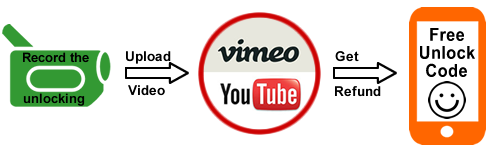
 Make a video unlocking your phone and get 100% cash back :)


We offer the only “Permanently” unlock solution for any iPhone from Fido as the IMEI is registered as “Unlocked” in Apple's database. 
Your phone will always be unlocked even after each new update of iOS.

iPhone Unlocking Instructions:

1. Press *#06# to find your iPhone’s IMEI number
2. Place your order for your iPhone

3. Once finished processing you will receive and email from us saying “Activated” or “Unlocked”.
4. Now do the following below:

- Install last version of iTunes
- Make sure your itunes is the latest version
- Connect your iPhone to iTunes with non-accepted sim card
- Wait until itunes detects your iPhone
- Now disconnect your iPhone and then reconnect after 10 seconds.
- Phone is Unlocked! You will see this on itunes:


IMPORTANT NOTE:
* Prior unlocking, your iPhone has to be activated and used on the original Network you are trying to Unlock. It has to be “Activated” status.
* You will need to connect your iPhone to your Computer iTunes (Latest Version Required)


The video below is an example of a customer unlocking her iPhone 6. Unlocking your iPhone could not be simpler and is 100% Guaranteed


Reasons to remotely unlock iPhone with UnlockCode4U:
* World Class Customer Service

* Unlock your phone from the comfort of your own home.
* Never send your phone to anybody.
* If you travel you will save roaming fees by being able to use a local SIM cards. 

* Warranty will not be voided.
* The resell value of your device will increase significantly as it is available to more networks.
* Easily switch between SIM card, using the same mobile phone.
* Very easy, no technical experience necessary.
* The phone is permanently unlocked, even after updates.
* 100% Guaranteed, if we cannot get you, your unlock solution we will refund you.  


Read More »

Friday, 23 January 2015

How to unlock iPhone 3G, 3Gs, 4, 4s, 5, 5s, 5c, 6, 6+ from Fido Canada


Factory unlock solution for any iPhone from Fido Canada

We offer the only “Permanently” unlock solution for any iPhone from Fido as the IMEI is registered as “Unlocked” in Apple's database. 
Your phone will always be unlocked even after each new update of iOS.

iPhone Unlocking Instructions:

1. Press *#06# to find your iPhone’s IMEI number
2. Place your order for your iPhone

3. Once finished processing you will receive and email from us saying “Activated” or “Unlocked”.
4. Now do the following below:

- Install last version of iTunes
- Make sure your itunes is the latest version
- Connect your iPhone to iTunes with non-accepted sim card
- Wait until itunes detects your iPhone
- Now disconnect your iPhone and then reconnect after 10 seconds.
- Phone is Unlocked! You will see this on itunes:


IMPORTANT NOTE:
* Prior unlocking, your iPhone has to be activated and used on the original Network you are trying to Unlock. It has to be “Activated” status.
* You will need to connect your iPhone to your Computer iTunes (Latest Version Required)


The video below is an example of a customer unlocking her iPhone 6. Unlocking your iPhone could not be simpler and is 100% Guaranteed


Reasons to remotely unlock iPhone with UnlockCode4U:
* World Class Customer Service

* Unlock your phone from the comfort of your own home.
* Never send your phone to anybody.
* If you travel you will save roaming fees by being able to use a local SIM cards. 

* Warranty will not be voided.
* The resell value of your device will increase significantly as it is available to more networks.
* Easily switch between SIM card, using the same mobile phone.
* Very easy, no technical experience necessary.
* The phone is permanently unlocked, even after updates.
* 100% Guaranteed, if we cannot get you, your unlock solution we will refund you.  


>>>>Unlock Any iPhone from Fido <<<<

Want to find out more about us and our promotions?
Our Home Page: UnlockCode4U.com
Want to know how long it takes? See our average delivery time
Want to know how is your order going? Order Status
You help us to help and we help you: Free Phone Unlocking
NEW! Want to find out if your phone is blacklisted? IMEI checker
NEW! Do you know the Status, Network, of you iPhone? iPhone checker


Read More »

Wednesday, 26 June 2013

Unlock iPhone 5, 4S, 4, 3Gs from Rogers, Bell, Telus, Koodo to work Internationally

Factory Unlock your iPhone 3, 3G, 3GS, 4, 4S, 5, 5S, 5C through iTunes

We offer the only “Permanently” unlock solution for all iPhone as the IMEI is registered as “Unlocked” in Apple's database. Did you know that once your Apple iPhone is unlocked, will be able to use it with any SIM card from any network carrier in the world? Our Apple iPhone unlock is the best and most straight forward solution available on the internet.

iPhone Unlocking Instructions:

1. Press *#06# to find your iPhone’s IMEI number
2. Place your order below
3. Once your order has finished processing you will receive an email from us saying “Activated” or “Unlocked”.
4. Now do the following below:

- Install the lastest version of iTunes
- Connect phone to iTunes with not accepted (not valid) sim card
- Wait until itunes detects phone
- Now disconnect your iPhone and then reconnect after 10 seconds.
- Phone is Unlocked! You will see this on itunes:


>>>>>>Unlock iPhone<<<<<<

Want to find out more about us and our promotions?
Our Home Page: UnlockCode4U.com
Want to know how long it takes? See our average delivery time
Want to know how is your order going? Order Status
You help us to help and we help you: Free Phone Unlocking
NEW! Want to find out if your phone is blacklisted? IMEI checker
NEW! Do you know the Status, Network, of you iPhone? iPhone checker
Read More »

Tuesday, 5 March 2013

The Evolution Of The Iphone from 2007 to Now!


"An ipod, a phone, an internet mobile communicator... these are NOT three separate devices! And we are calling it iPhone! Today Apple is going to reinvent the phone. And here it is..." Steve Jobs

It's exciting to believe that the well-known iphone started out as a small idea in Steve Jobs' mind in 2005 and has since become a product of which has sold hundreds of million in the US alone since its launch in 2007! Jobs aimed to create a portable phone which was fully touch screen and which would revolutionize the phone market as we know it.  It just so happened that this would lead to the evolution of phones to the now smart phone crazy world we live in.

Launched in the USA in June 2007, Jobs released the iphone at the Macworld Convention with enormous response. In the first weekend alone, 146,000 iphones were activated. The release in the USA was followed by the release in Europe and Australia shortly after. But how has it evolved since then?

Here's a timeline of iphone technology since June 2007: 


In June 2007, the original iPhone with IOS software, touch interface and a make-up aluminum with a black plastic back was launched to the phone market.

In June 2009, iPhone 3G was launched followed by the 3GS  a year later supporting a complete plastic back to enhance the power of the GSM signals introduction to the app store and with the 3GS, a camera!
 
In June 2010, we saw the release of the iPhone 4 with an aluminosilicate glass front and the back has a stainless steel edge serving as the antennas accompanied with the new facetime!

In October 2011, the iPhone 4S was released. This phone, very like the iphone 4 apart from the inclusion of Siri and improved camera and video technology.

In September 2012 , the iPhone 5 was released. This iphone allows you to take Panoramic images, use the 4G network and has 16.9 display.

In September 2013 we all saw the release of the iPhones 5c and 5s: The iPhone 5C was basically a reskinned iPhone 5. The iPhone 5S got a faster, 64-bit A7 SoC (system on a chip), Touch ID, and a new motion data processor touted as the foundation for a new wave of health and fitness apps. 


For the second year in a row, Apple unveiled two iPhones: the iPhone 6, which has a 4.7-in. screen, and the iPhone 6 Plus, with a 5.5-in. screen. Both iPhones sport new A8 processors that are faster and more efficient than last year’s models. Both also have upgraded cameras and are NFC-ready for access to the new Apple Pay network that rolls out in October.


iPhone 7 and iPhone 7 Plus were announced on September 2016, succeeding the iPhone 6S and iPhone 6S Plus. Overall design is similar to the iPhone 6S, but introduces new color options, water and dust resistance, a new capacitive, static home button, and removes the 3.5 mm headphone jack. The device's internal hardware also received upgrades, including a heterogeneous quad-core system-on-chip with improved system and graphics performance, and upgraded 12 megapixel rear-facing cameras with optical image stabilization on all models and an additional telephoto lens on the iPhone 7 Plus model to provide enhanced zoom capabilities.

Although the iPhone has a market of 13% of all cellphones, still Apple manages to make more than 50% of the total profit that global cellphone sales are able to generate.

Read More »