Showing posts with label tutorial. Show all posts

Saturday, 29 March 2014

How to unlock Huawei U8180 by unlock code

Factory Unlock Code for Huawei U8180 Rapport
IMPORTANT: Prior placing the order, please make sure your phone is locked by power it on with a non-accepted SIM card - The phone MUST prompt for the unlock code.
 
Huawei U8180 Unlocking Instructions: 
1.  Power on your Huawei phone with a non- accepted SIM Card,
2.  Once powered on, you will be asked for a Network Unlock Code,
3.  Enter the unlock code provided by us on the email we sent into your HUAWEI device.
4.  Your phone is now unlocked!!!! 


The video below is an example of a customer unlocking a Huawei Phone. We unlock 99% of all GSM networks for any Huawei device. Unlocking your phone could not be simpler and is 100% Guaranteed. Watch the Video sample below:


Reasons to remotely unlock Huawei U8180 with UnlockCode4U:
* Unlock your phone from the comfort of your own home.
* Never send your phone to anybody.
* If you travel you will save roaming fees by being able to use a local SIM cards.
* Warranty will not be voided.
* The resell value of your device will increase significantly as it is available to more networks.
* Easily switch between SIM card, using the same mobile phone.
* Very easy, no technical experience necessary.
* The phone is permanently unlocked, even after updates.
* 100% Guaranteed, if we cannot get you, your unlock solution we will refund you.


Want to find out more about us and our promotions?
Our Home Page: UnlockCode4U.com
Want to know how long it takes? See our average delivery time
Want to know how is your order going? Order Status
You help us to help and we help you: Free Phone Unlocking
NEW! Want to find out if your phone is blacklisted? IMEI checker
NEW! Do you know the Status, Network, of you iPhone? iPhone checker
Read More »

Thursday, 20 March 2014

How to unlock Samsung Galaxy Note 3 by Unlock Code

Factory Unlock Code for Samsung Galaxy Note 3

IMPORTANT: Prior placing the order please make sure your phone is locked by power it on with a non-accepted SIM card.  - The phone MUST prompt for the unlock code.

Samsung Galaxy Note 3 Unlocking Instructions:
1.  Enter a SIM Card from a network that does not work with your phone,
2.  Power your Samsung phone on.
3.  Once powered on, you will be asked for an unlock code,
4.  Enter the unlock code provided by us on the email into your Samsung device.
5.  Your phone is now unlocked!!!! 


Have a quick look on how simple it is to unlock a Samsung Galaxy Note 3 (customer video)


1. What's the average delivery Time?
The average delivery time for any Samsung unlock code is 25 min

2. Do the unlock codes work?
Yes they do! Our Samsung codes are provided by the manufacture and they are uniquely assigned to your phone's IMEI.


3. What happen if my Samsung Phone is hard locked**?
Don't Worry! You will get a set of 4 codes: NETWORK code, PROVIDER code, SUBPROVIDER code and DEFREEZE code.
If your phone is hard locked, all you have to do is to enter first the DEFREEZE code and press "Unlock" and then the NETWORK code and press "Unlock, the screen should display "Network Unlock Successful" 


** A phone is hard locked when the wrong code has been entered several times.

>>>> Unlock Samsung Galaxy Note 3 <<<< 


Want to find out more about Us and Our promotions?
Our Home Page: UnlockCode4U.com
Want to know how long it takes? See our average delivery time
You have a Samsung Device? Read this: Unlocking Steps for Samsung Phones 
Want to know how is your order going? Order Status
You help us to help and we help you: Free Phone Unlocking Offer
NEW! Want to find out if your phone is blacklisted? IMEI checker
NEW! Do you know the Status, Network, of you iPhone? iPhone checker
 
Read More »

Wednesday, 19 March 2014

How to Network Unlock Samsung Galaxy Young S6310

Factory Unlock Code for Samsung Galaxy Young S6310

IMPORTANT: Prior placing the order please make sure your phone is locked by power it on with a non-accepted SIM card. 

Samsung Galaxy Young S6310 Unlocking Instructions:
1.  Enter an active SIM Card from a network that does not work with your phone,
2.  Power your Samsung phone on.
3.  Once powered on, you will be asked for an unlock code,
4.  Enter the unlock code provided by us on the email into your Samsung device.
5.  Your phone is now unlocked!!!! 


Have a quick look on how simple it is to unlock a Samsung Galaxy phone (customer video)


1. What's the average delivery Time?
The average delivery time for any Samsung unlock code is 25 min

2. Do the unlock codes work?
Yes they do! Our Samsung codes are provided by the manufacture and they are uniquely assigned to your phone IMEI.


3. What happen if my Samsung Phone is hard locked**?
Don't Worry! You will get a set of 4 codes: NETWORK code, PROVIDER code, SUBPROVIDER code and DEFREEZE code.
If your phone is hard locked, all you have to do is to enter first the DEFREEZE code and press "Unlock" and then the NETWORK code and press "Unlock, the screen should display "Network Unlock Successful" 


** A phone is hard locked when the wrong code has been entered several times.

>>>> Unlock Samsung Galaxy Young S6310 <<<< 


Want to find out more about Us and Our promotions?
Our Home Page: UnlockCode4U.com
Want to know how long it takes? See our average delivery time
You have a Samsung Device? Read this: Unlocking Steps for Samsung Phones 
Want to know how is your order going? Order Status
You help us to help and we help you: Free Phone Unlocking Offer
Read More »

Tuesday, 18 March 2014

How to Unlock Huawei Ascend P2 by Unlock code


Factory Unlock Code for Huawei Ascend P2

IMPORTANT: Prior placing the order, please make sure your phone is locked by power it on with a non-accepted SIM card. 

Huawei Ascend P2 Unlocking Instructions: 
1.  Power on your Huawei phone with a non- accepted SIM Card,
2.  Once powered on, you will be asked for a Network Unlock Code,
3.  Enter the unlock code provided by us on the email we sent into your HUAWEI device.
4.  Your phone is now unlocked!!!! 


The video below is an example of a customer unlocking a Huawei Phone. We unlock 99% of all GSM networks for any Huawei device. Unlocking your phone could not be simpler and is 100% Guaranteed. Watch the Video sample below:


Common Q&A
1. What's the average delivery Time?
Most of Huawei orders are delivered the same day or within 12 hrs time.

2. Do the unlock codes work?
Yes they do! Our HUAWEI codes are provided by the manufacture and they are uniquely assigned to your phone IMEI.


3. How much will it cost?
The price will depend on the network the phone is locked to and the model. So go to http://www.unlockcode4u.com/unlock-Huawei/ choose your model and then the network, and it will tel.


Want to find out more about us and our promotions?
Our Home Page: UnlockCode4U.com
Want to know how long it takes? See our average delivery time
Want to know how is your order going? Order Status
You help us to help and we help you: Free Phone Unlocking
Read More »

Wednesday, 12 March 2014

We are Now Unlocking Nokia Lumia by Unlock Code


Unlocking your Nokia Lumia is easier than ever! It's 100% safe and covered by our 100% satisfaction guarantee. Did you know that once your Nokia Lumia is unlocked, will be able to use it with any SIM card from any network carrier in the world? The Nokia Lumia Unlock Codes we provide are manufacturer codes. This means that the manufacturer of your phone has pre-programmed these "subsidy passwords" prior to distributing the phones to the original network carrier. Let's begin your Nokia Lumia Unlocking process by filling out the information below.


Current Nokia Lumia Models include:

- Nokia Lumia 520 (Windows 8 Phone)
- Nokia Lumia 521 (Windows 8 Phone)
- Nokia Lumia 620 (Windows 8 Phone)
- Nokia Lumia 810 (Windows 8 Phone)
- Nokia Lumia 820 (Windows 8 Phone)
- Nokia Lumia 920 (Windows 8 Phone)
- Nokia Lumia 925 (Windows 8 Phone)
- Nokia Lumia 1000 (Windows 8 Phone)
- Nokia Lumia 1020 (Windows 8 Phone)
- Nokia Lumia 1320 (Windows 8 Phone)
- Nokia Lumia 1520 (Windows 8 Phone)
- Nokia Lumia 2520 (Windows 8 Phone)

- Nokia Lumia 510 (Windows 7 Phone)
- Nokia Lumia 610 (Windows 7 Phone)
- Nokia Lumia 710 (Windows 7 Phone)
- Nokia Lumia 800 (Windows 7 Phone)
- Nokia Lumia 900 (Windows 7 Phone)


UnlockCode4U can help you to Unlock your Nokia Lumia, wether you are traveling or simply want to move to a different network provider and keeping the same phone.


The video below is an example of a customer unlocking his Nokia Lumia Phone. Unlocking your Lumia could not be simpler and is 100% Guaranteed.


Reasons to remotely unlock Nokia Lumia Compact with UnlockCode4U:
* Unlock your phone from the comfort of your own home.
* Never send your phone to anybody.
* If you travel you will save roaming fees by being able to use a local SIM cards.
* Warranty will not be voided.
* The resell value of your device will increase significantly as it is available to more networks.
* Easily switch between SIM card, using the same mobile phone.
* Very easy, no technical experience necessary.
* The phone is permanently unlocked, even after updates.
* 100% Guaranteed, if we cannot get you, your unlock solution we will refund you.


Want to find out more about us and our promotions?
Our Home Page: UnlockCode4U.com
Want to know how long it takes? See our average delivery time
Want to know how is your order going? Order Status
You help us to help and we help you: Free Phone Unlocking 

NEW! Want to find out if your phone is blacklisted? IMEI checker
NEW! Do you know the Status, Network, of you iPhone? iPhone checker


Read More »

How to Unlock Samsung Galaxy Mega 6.3 I9200

Factory Unlock Code for Samsung Galaxy Mega 6.3 I9200

IMPORTANT: Prior placing the order please make sure your phone is locked by power it on with a non-accepted SIM card. 

Samsung Galaxy Galaxy Mega 6.3 I9200 Unlocking Instructions:
1.  Enter an active SIM Card from a network that does not work with your phone,
2.  Power your Samsung phone on.
3.  Once powered on, you will be asked for an unlock code,
4.  Enter the unlock code provided by us on the email into your Samsung device.
5.  Your phone is now unlocked!!!! 


Have a quick look on how simple it is to unlock a Samsung Galaxy phone (customer video)


1. What's the average delivery Time?
The average delivery time for any Samsung unlock code is 25 min

2. Do the unlock codes work?
Yes they do! Our Samsung codes are provided by the manufacture and they are uniquely assigned to your phone IMEI.


3. What happen if my Samsung Phone is hard locked**?
Don't Worry! You will get a set of 4 codes: NETWORK code, PROVIDER code, SUBPROVIDER code and DEFREEZE code.
If your phone is hard locked, all you have to do is to enter first the DEFREEZE code and press "Unlock" and then the NETWORK code and press "Unlock, the screen should display "Network Unlock Successful" 


** A phone is hard locked when the wrong code has been entered several times.

>>>> Unlock Samsung Galaxy Mega 6.3 I9200 <<<< 


Want to find out more about Us and Our promotions?
Our Home Page: UnlockCode4U.com
Want to know how long it takes? See our average delivery time
You have a Samsung Device? Read this: Unlocking Steps for Samsung Phones 
Want to know how is your order going? Order Status
You help us to help and we help you: Free Phone Unlocking Offer
Read More »

Tuesday, 11 March 2014

How to unlock Huawei Ascend P1 XL by Unlock Code


Factory Unlock Code for Huawei Ascend P1 XL


IMPORTANT: Prior placing the order, please make sure your phone is locked by power it on with a non-accepted SIM card. 

Huawei Ascend P1 XL Unlocking Instructions: 
1.  Power on your Huawei phone with a non- accepted SIM Card,
2.  Once powered on, you will be asked for a Network Unlock Code,
3.  Enter the unlock code provided by us on the email we sent into your HUAWEI device.
4.  Your phone is now unlocked!!!! 


The video below is an example of a customer unlocking a Huawei Phone. We unlock 99% of all GSM networks for any Huawei device. Unlocking your phone could not be simpler and is 100% Guaranteed. Watch the Video sample below:


Common Q&A
1. What's the average delivery Time?
Most of Huawei orders are delivered the same day or within 12 hrs time.

2. Do the unlock codes work?
Yes they do! Our HUAWEI codes are provided by the manufacture and they are uniquely assigned to your phone IMEI.


3. How much will it cost?
The price will depend on the network the phone is locked to and the model. So go to http://www.unlockcode4u.com/unlock-Huawei/ choose your model and then the network, and it will tel.


Want to find out more about us and our promotions?
Our Home Page: UnlockCode4U.com
Want to know how long it takes? See our average delivery time
Want to know how is your order going? Order Status
You help us to help and we help you: Free Phone Unlocking
Read More »

Monday, 13 January 2014

How to unlock Samsung Galaxy S3 (GT-I9300) from T-Mobile

Factory Unlock Samsung Galaxy S3 GT-I9300
IMPORTANT: Prior placing the order please make sure your phone is locked by power it on with a non-accepted SIM card. 

Samsung Galaxy S3 Unlocking Instructions:
1.  Enter a SIM Card from a network that does not work with your phone,
2.  Power your Samsung phone on.
3.  Once powered on, you will be asked for an unlock code,
4.  Enter the unlock code provided by us on the email into your Samsung device.
5.  Your phone is now unlocked!!!! 


Have a quick look on how simple it is to unlock a Samsung Galaxy phone (customer video)


1. What's the average delivery Time?
The average delivery time for any Samsung unlock code is 25 min

2. Do the unlock codes work?
Yes they do! Our Samsung codes are provided by the manufacture and they are uniquely assigned to your phone IMEI.


3. What happen if my Samsung Phone is hard locked**?
Don't Worry! You will get a set of 4 codes: NETWORK code, PROVIDER code, SUBPROVIDER code and DEFREEZE code.
If your phone is hard locked, all you have to do is to enter first the DEFREEZE code and press "Unlock" and then the NETWORK code and press "Unlock, the screen should display "Network Unlock Successful" 


** A phone is hard locked when the wrong code has been entered several times.

>>>> Unlock Samsung Galaxy S3 <<<< 


Want to find out more about Us and Our promotions?
Our Home Page: UnlockCode4U.com
Want to know how long it takes? See our average delivery time
You have a Samsung Device? Read this: Unlocking Steps for Samsung Phones 
Want to know how is your order going? Order Status
You help us to help and we help you: Free Phone Unlocking Offer
Read More »

Thursday, 19 December 2013

How to Network Unlock Samsung Galaxy S3 Mini by Unlock Code

Factory Unlock Samsung Galaxy S3 Mini


IMPORTANT: Prior placing the order please make sure your phone is locked by power it on with a non-accepted SIM card.

Samsung Galaxy S3 Mini Unlocking Instructions:
1.  Enter a SIM Card from a network that does not work with your phone,
2.  Power your Samsung phone on.
3.  Once powered on, you will be asked for an unlock code,
4.  Enter the unlock code provided by us on the email into your Samsung device.
5.  Your phone is now unlocked!!!! 


Have a quick look on how simple it is to unlock a Samsung Galaxy phone (customer video)


Reasons to remotely unlock
Samsung Galaxy S3 Mini with UnlockCode4U:
* Unlock your phone from the comfort of your own home.
* Never send your phone to anybody.
* If you travel you will save roaming fees by being able to use a local SIM cards.
* Warranty will not be voided.
* The resell value of your device will increase significantly as it is available to more networks.
* Easily switch between SIM card, using the same mobile phone.
* Very easy, no technical experience necessary.
* The phone is permanently unlocked, even after updates.
* 100% Guaranteed, if we cannot get you, your unlock solution we will refund you. 


>>>> Unlock Samsung Galaxy S3 Mini <<<< 

Want to find out more about Us and Our promotions?
Our Home Page: UnlockCode4U.com
Want to know how long it takes? See our average delivery time
You have a Samsung Device? Read this: Unlocking Steps for Samsung Phones 
Want to know how is your order going? Order Status
You help us to help and we help you: Free Phone Unlocking Offer
Read More »

Tuesday, 17 December 2013

How to Unlock Galaxy Ace 3 (III) by Unlock Code

Factory Unlock Samsung Galaxy Ace 3


IMPORTANT: Prior placing the order please make sure your phone is locked by power it on with a non-accepted SIM card.

Samsung Galaxy Ace 3 (III) Unlocking Instructions:
1.  Enter a SIM Card from a network that does not work with your phone,
2.  Power your Samsung phone on.
3.  Once powered on, you will be asked for an unlock code,
4.  Enter the unlock code provided by us on the email into your Samsung device.
5.  Your phone is now unlocked!!!! 


Have a quick look on how simple it is to unlock a Samsung Galaxy phone (customer video)


Reasons to remotely unlock
Samsung Galaxy Ace 3 (III) with UnlockCode4U:
* Unlock your phone from the comfort of your own home.
* Never send your phone to anybody.
* If you travel you will save roaming fees by being able to use a local SIM cards.
* Warranty will not be voided.
* The resell value of your device will increase significantly as it is available to more networks.
* Easily switch between SIM card, using the same mobile phone.
* Very easy, no technical experience necessary.
* The phone is permanently unlocked, even after updates.
* 100% Guaranteed, if we cannot get you, your unlock solution we will refund you. 


>>>> Unlock Samsung Galaxy Ace 3 (III) <<<< 


Want to find out more about Us and Our promotions?

Our Home Page: UnlockCode4U.com
Want to know how long it takes? See our average delivery time
You have a Samsung Device? Read this: Unlocking Steps for Samsung Phones 
Want to know how is your order going? Order Status
You help us to help and we help you: Free Phone Unlocking Offer


Read More »

Monday, 2 December 2013

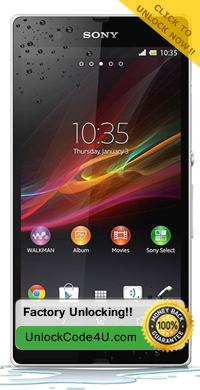
How to Unlock Sony Xperia Z by Unlock Code

Factory Unlock Code for Sony Xperia Z

IMPORTANT: Prior placing the order, please make sure your phone is locked by power it on with a non-accepted SIM card - The phone MUST prompt for the unlock code. Please also make sure that your phone is not hard locked and you have enough attempts to enter the code. For more details go How to know if my Sony Phone Network is Fully Unlocked or Hardlocked
Sony Xperia Z Unlocking Instructions:

1. Insert a non-accepted Sim card
2. Phone will ask for a “Sim Network Unlock Pin”
3. Enter the Unlock Code emailed to you
 
4. Your Phone is unlocked!!
 
Reasons to remotely unlock Sony Xperia Z with UnlockCode4U:
* Unlock your phone from the comfort of your own home.
* Never send your phone to anybody.
* If you travel you will save roaming fees by being able to use a local SIM cards. 

* Warranty will not be voided.
* The resell value of your device will increase significantly as it is available to more networks.
* Easily switch between SIM card, using the same mobile phone.
* Very easy, no technical experience necessary.
* The phone is permanently unlocked, even after updates.
* 100% Guaranteed, if we cannot get you, your unlock solution we will refund you.


>>>> Unlock Sony Xperia Z<<<<


Want to find out more about us and our promotions?
Our Home Page: UnlockCode4U.com
Want to know how long it takes? See our average delivery time
Want to know how is your order going? Order Status
You help us to help and we help you: Free Phone Unlocking


Read More »